WordPress: Gutenberg vs Calypso
 WordPress is a somewhat popular text blogging platform. It is, in fact, the blogging platform where this blog is presently hosted. This post is intended to offer up some background history of WordPress and where WordPress is currently heading (hint: not in a good direction). Let’s explore.
Original Editor — Circa 2003
When WordPress.com launched in 2003, a very basic text editor was included with the interface. This text editor was the defacto editor for the WordPress platform until around 2015, when Calypso launched. This very basic text editor was not HTML aware nor did it in any way support any advanced HTML features. As a WordPress user, you had to use trial and error methods to determine if the editor itself and the underlying submission syntax checker would allow any specific inline HTML or CSS features to be published.
This basic editor also did not support or even render such basic styling features like the application of styles like underline, italics or bold or even changing fonts and sizes. If you wanted to use these features within your article, you were forced to use hypertext markup to “wrap” lines of text with such formatting styles. This made editing and re-editing articles a chore because the editor itself did not render this markup at all, which meant you had to stumble over all of the markup when reading your article back. If you wanted to see the article fully rendered including these styles and markups, you were forced to preview the article in your WordPress theme.
In other words, a few markup features worked, but many, many did not. If you included hypertext markup in your article, you also had to know how to craft hypertext markup properly. You were then forced to test if the markup that you included would be accepted by the platform. This made crafting hypertext markup complicated, slow and required a huge learning curve. The editor itself showed you the entire article, markup and all, which made reading an article using this editor a complete pain in the ass. Note that this editor still exists in the platform as of this writing, through the wp-admin interface. It’s also still just as clumsy, antiquated and problematic as it always was.
This 2003 editor fares even worse today after you’ve edited an article in 2018’s Gutenberg, where Gutenberg crafts its blocks using a massive number of really ugly HTML comment and statements. It’s impossible to read an article’s text in among Gutenberg’s prolific and ugly markup when viewing it in such a basic editor. 2015’s Calypso, on the other hand, has tried to keep its markup limited, which served an author much better if you had to dive into HTML for any specific reason. Sometimes simpler is better!
Enter Calypso — Circa 2015
Around 2015, WordPress introduced a new editor called Calypso. This new editor at least supported basic live text style rendering; rendering that now allows you to see underline, italic and bold formatted live in the editor itself while writing. In essence, Calypso offered writers a similar experience as when using a software word processing product like Microsoft Word. Calypso even supported keyboard hotkeys to set these styles, making writing much easier.
No longer are you required to trip over ugly HTML markup statements. Limited hypertext markup is further included and is often rendered by the Calypso editor. Such rendered markup includes embedding images, YouTube videos and other basic multimedia inclusions like image slideshows. No longer did you need to go documentation hunting for the right WordPress tags to get this information included. This means that if you drop a link to a YouTube video in, the editor is aware that it’s a YouTube video and might render the video itself inline in the editor. The Calypso editor also crafted whatever HTML markup was needed to get this multimedia rendered properly. Early in the life of Calypso, YouTube UI rendering didn’t occur. It wasn’t until a few later releases that it began to render the videos in the editor. Advanced CSS styling and features, however, were mostly beyond the Calypso editor, but it can be included in an article by selecting “Edit as HTML” and manually adding it, as long as the syntax parser allows the syntax through. This situation pretty much exists today even with Gutenberg.
For about a 3-4 year period, WordPress was on the right track with the Calypso editor, making enhancements and bringing it up to date each year. Calypso was then a somewhat simplistic HTML editor, yes, but it was leaps and bounds better than the original WP Admin editor that was introduced in 2003. As a blog author, you were still forced to preview every article to make sure that it formatted properly in your site’s theme. Calypso’s performance as an editor is still unmatched, even today. Calypso launched and was ready to use in under 3 seconds when beginning a new article. Impressive! Very, very impressive!
The entire Calypso editor, while writing, remained speedy and responsive. In other words, if you typed 200 words per minute, the editor could fully keep up with that typing pace. Calypso didn’t then (and still doesn’t now) offer spell or grammar checking or perhaps some of the advanced features that would come to future editors, but not much in the blogging world at that time did. Though, these features could have been added to Calypso. Instead, WordPress.org had other not-so-brilliant ideas and then Gutenberg happened.
Enter Gutenberg — Circa 2018
In 2018, Gutenberg launches and replaces Calypso within WordPress.com. However, because Calypso had been so entrenched in the platform due to its adoption and use over those ~3 years, the Gutenberg team was more or less forced to continue supporting Calypso inside of the Gutenberg editor. The way the Gutenberg team managed this was by encapsulating the Calypso editor into what would become known as Gutenberg’s “Classic Block”. The inclusion of this block type is solely designed for backward compatibility with Calypso crafted articles.
Let’s postulate an insane request if WordPress had requested this action of bloggers after Gutenberg’s introduction. What if WordPress had required perhaps thousands of bloggers to check every article ever written for compatibility after auto-upgrading every article to Gutenberg blocks? Gutenberg’s article upgrade system has never worked very well at all. WordPress clearly wasn’t this level of insane to require this of its bloggers.
Once you also understand the ineptitude of the Gutenberg development team and how Gutenberg actually works (or doesn’t), you’ll understand why this didn’t happen and why it was simpler to integrate Calypso into Gutenberg’s Classic Block instead of asking every blogger to ensure their converted articles are still properly formatted. Yeah, if WordPress had required this step, the WordPress.com platform would have died. Thus, Calypso compatibility was built.
Gutenberg’s Misguided Design and Philosophy
Gutenberg was touted as a mixed media extravaganza for blogging, except for one thing. WordPress is STILL intended to be a text blogging platform. It’s not YouTube, it’s not Snapchat, it’s not Twitter and it’s not TikTok. You don’t need this type or level of multimedia extravaganza in a text blogging editor for the vast majority of blog posts. It’s useless and it’s overkill. Yet, the Gutenberg team blazed onward with its incredibly misguided development idea.
The need to embed graphics, YouTube, TikTok and other mixed media within a blog post is self-limiting, simply by the sheer fact that WordPress is still designed to be a written blog article platform. Embedding such mixed media might encompass 1-5% of the total volume of an article, mainly used to support written talking points, not as a primary blogging mechanism. I’m not advocating not adding these multimedia features, but I’m also not advocating that these features become the primary reason to make a new blog editor either.
The Gutenberg development team ultimately spent an inordinate amount of time over-designing and over-coding what is now essentially a technical replacement for cut and paste; the entire block design that Gutenberg touts. Cut and paste already exists. We don’t need a new way of doing it. Honestly, a replacement for cut and paste really IS the entire claim to fame for Gutenberg’s block system. Effectively, the Gutenberg block system was designed for ease of moving the blocks around… or at least, so we’ve been led to believe. In reality, moving blocks around is an absolute chore when attempting to use the up and down arrow controls. As a technical replacement for cut and paste, Gutenberg is an abject failure.
Further, even though Gutenberg touts its ability to work with WordPress themes, that feature has never properly worked and Gutenberg is not and has never been WYSIWYG (what-you-see-is-what-you-get). You would think that even though Calypso was never intended to offer WYSIWYG rendering, implementing a brand new editor in WordPress would offer this very important feature to bloggers. If you thought that, you’d have thought wrong. With Gutenberg, you are still forced to preview articles using your site’s theme to see the exact placement of everything. Gutenberg’s supposed use of themes is so basic and rudimentary that placement of almost anything, like even an image, almost never works in the same way as the theme’s placement.
However, Gutenberg’s main and biggest problem today is STILL its performance. Honestly, it’s one of the worst performing text editors I have ever used. The 2003 editor still outperforms than Gutenberg by an order of magnitude. If you’re writing a one paragraph one block article, Gutenberg might be fine. When you’re writing a 5,000 word blog article broken into maybe 50 or more blocks, by the final Paragraph Block, the input performance is so bad that the small flashing letter cursor lags behind keyboard input as much as 5 words (maybe even more based on your speed of typing). If you’re a 200 WPM typist with an even 1% error rate, good luck writing an article in Gutenberg. This lagging issue MUST have been apparent to the developers… unless they’ve tested nothing, which appears to be the case.
Gutenberg has failed at almost every design case it has tried to achieve! Calypso still outperforms Gutenberg in almost every single way, even when embedded in the “Classic Block”. It’s the entire reason I exclusively write using the “Classic Block” in WordPress.
Gutenberg doesn’t enhance the blogging experience at all. Just opposite, in fact. Gutenberg gets in your way. It’s slow. It gets worse. The Paragraph Block is so bare bones basic that it can’t even perform a simple spell check, let alone provide grammar checking. Yet, its input performance is so ironically slow for being as basic as it is. Honestly, both WordPress.com and WordPress.org (authors of Gutenberg) are deluded if they think Gutenberg is the answer to blogging. Calypso as an editor was way more useful and powerful than Gutenberg has ever been. Yet, here we are… stuck with this dog slow dinosaur that was foisted onto us unsuspecting WordPress bloggers.
Within 3 months of its release, Calypso’s dev team reduced its launch time from 10 seconds down to less than 3 seconds. In the nearly 6 years since Gutenberg’s launch, almost nothing has improved with Gutenberg, least of all its solid 15 seconds launch timing. You’d think that in nearly 6 years, the Gutenberg team could have made Gutenberg perform better along side adding important blogging features, like spell and grammar checking. Again, you’d have thought wrong. Of course, by all means let’s add embedding of YouTube videos in a block. But no, let’s not add spell or grammar checking to the Paragraph Block to enhance the entire reason why WordPress exists… writing. Oh no, let’s not fix the editor crashing which forces bloggers to reload the entire editor page and lose work that, you know, helps bloggers do the thing they’re here to do… write! By all means, let’s not fix the lag that builds up after 10, 50 or 100 blocks that lags input down to unbearable levels that prevents bloggers from doing the one thing they’re here to do… write!
No, instead let’s build useless block system, that technical replacement for cut and paste, that only serves to get in the way of blogging, slow everything down and serves to make the entire editor unstable. How many loss crashes can a blogger endure before realizing the need to write in an offline editor? Once this happens, what use is Gutenberg to WordPress?
I don’t know what the Gutenberg team is spending their time doing, but they’re clearly not solving these actual real usability problems within Gutenberg, nor by extension, attempting to enhance and extend WordPress as a text based blogging platform for us writers.
Calypso Lives On
Because the Gutenberg team was forced to retain Calypso within the Classic Block type in Gutenberg, it is the one and only one saving grace and shining light in among the darkness that is now Gutenberg. Without the Calypso editor’s continued availability within Gutenberg, this platform would be dead. Calypso is the sole and single reason why I can still use WordPress to write this article right now. Were I to use the Paragraph Block as the Gutenberg team has intended, instead of being maybe 90% of the way through this writing article at this point, I’d be 10% finished… spending all of that extra time fighting with the major input cursor lag, the hassle of block management and the continual lockups of the editor. Yes, Gutenberg randomly locks up hard when using the Paragraph Blocks, forcing the writer to reload the entire browser tab (and possibly lose some writing effort in the process). Calypso in Gutenberg’s Classic Block retains all of its snap, performance and stability that it formerly had when it was WordPress’s default editor back in 2015. I don’t have to worry about that silly Gutenberg block performance issue.
To this day, I still don’t know why WordPress thinks Gutenberg is better than Calypso… other than for the fact that a bunch of misguided developers spent way too much time coding something that simply doesn’t work.
In the name of brevity, I’m leaving out a WHOLE LOT of Gutenberg problems here; problems that if I were describe each and every one, this article would easily reach 10k to 20k words. I’m avoiding writing all of that because it’s a diversion which doesn’t help make this article’s point. Suffice it to say that everything Calypso had built as an editor was rebuilt into Gutenberg almost rote. Almost nothing new was added to Gutenberg to take Gutenberg beyond Calypso’s features.
Surly Gutenberg Developers and WordPress staff
I should mention that I’ve attempted interacting with the Gutenberg development team, spending my own time submitting valid Gutenberg bug reports to their official bug reporting site… only to be summarily harangued by their developers. When someone treats me with such disrespect, I don’t bother… a fact that I told one of those disrespectful developers. Time is way too short to spend it screwing around with ungrateful, surly people. Unfortunately, this ungrateful surliness has also made its way into the ranks at WordPress.com, in their leadership team and even on down into the support team.
For example, I asked for a feature to be submitted allowing the WordPress user to be able to choose their preferred block upon Gutenberg launch. Instead of actually agreeing and submitting the feature request, I got an unnecessary explanation of why the Paragraph Block exists in the way that it does.
Here is this Support Team member’s quote:
The Paragraph block is the default block in the WordPress Gutenberg block editor because it caters to the most fundamental and common use case when creating content: writing and structuring text.
And yet, the Paragraph Block performs the worst of any block in Gutenberg. If the Paragraph Block is that important of a block to Gutenberg, so important that it needs to be set as the default launching block, then why do we need all of these other more or less useless mixed media blocks? More importantly than this, if the Paragraph Block holds that level of importance to Gutenberg, why doesn’t it just work? If Gutenberg is supposed to revolutionize the blogging industry with its “new” mixed media approach, why can’t we set our default launching block to be something other than the Paragraph Block? No, WordPress, you can’t have it both ways.
It’s actually quite difficult for me not to hold that developer’s (and, by extension, WordPress staff’s) bad attitude against Gutenberg’s lack of quality. I still don’t understand why a developer would continue to write (bad) code for a project when they’re that disenchanted with writing it? It’s also not that this user’s bad attitude stemmed from my single interaction. Bad attitudes almost always originate internally and extend onto customer interactions. People who are that disenchanted with the products they are supporting probably need to find better jobs where the management team actually cares about the products they sell.
Design Failure
WordPress is a text-based blogging platform. There is no disputing this fact. However, the Gutenberg editor along with the Gutenberg team seem to want to rework this fact by adding Gutenberg’s strange mixed media features. In addition to the technical replacement for cut and paste along side these mixed media inclusions, one feature noticeably missing from Gutenberg is enhancements to the Paragraph Block itself, features that if added would majorly help in making writing simpler, easier and faster; with writing being the whole point to why WordPress exists.
For example, Google’s Gmail email editor has, for many years now, included grammar and spell checking via inline popup helpers. These helpers aid writers in crafting more professionally written articles. While the Gutenberg team was spending its lion’s share of its time crafting a technical replacement for cut and paste (its entire block system), Google spent its time helping writers to, you know, actually write. Even other platforms like Medium have drastically improved its own editors by helping writers to write better.
To this day (nearly 6 years after Gutenberg’s launch), the Paragraph Block still doesn’t offer grammar or spell checking built-in. Instead, the Gutenberg editor throws all of that back to the browser to handle. While Firefox does have a rudimentary spell checker built-in, it does not offer grammar checking at all. After all, Firefox is a generic web browser, not a writer’s tool, unlike WordPress and Gutenberg which are intended to be writer’s tools.
Unfortunately, the dictionary included in Firefox is also exceedingly basic and is missing many valid words. This means that it is, once again, left to the writer to determine if the red underline showing under a word is valid. Firefox does offer replacement suggestions, but only if you choose to right-click on the word, requiring active writer interaction. Once again, Firefox is not intended to be a writer’s tool, but WordPress and Gutenberg are! Yet, both WordPress and Gutenberg refuse to build the necessary tools to help writers write better. Instead, they offers us the questionable mix-media extravaganza editor with a poor technical replacement for cut and paste; an editor that isn’t even properly supported or managed and is broken more often that it works.
If Gutenberg is what we writers and bloggers get to look forward to for the next 6 years at WordPress, perhaps it’s time move to a different blogging platform. WordPress, word up!
↩︎
What to write?

In the midst of the COVID-19 Pandemic, I’ve found being a blog author has become extremely difficult. While I love video gaming (and I’ve written a number of articles on this topic), COVID-19 has put a crimp on being a blog author… at least for me. Let’s explore.
The Pandemic’s Effects
I love writing this blog. I do. However, it seems that every time I decide to write an article, the pandemic weighs it down like a wet blanket making the article trivial by comparison. It makes it difficult, then, to write articles that are either directly or indirectly about the pandemic. If the article is not about the pandemic, the content seems somehow trivialized by it. If the article is directly about the pandemic, then this blog has gotten off track of being Randocity… or random thoughts.
And, it gets worse.
As more and more people find themselves out of work, as the economy drops deeper and deeper into recession, as people find themselves homeless or evicted, writing these blog articles seems some how trivialized by all of this… which then makes it difficult for me to continue writing in the midst of this pandemic. Yet, I still want to.
For me to pretend that nothing is going on in the world, in similar form to our present illustrious orange President, is disingenuous or, worse, delusional.
I want to write about everyday things, but unfortunately this pandemic is making this difficult in so many ways… the first being that even heading out to the store itself is fraught with peril. In other words, every time I head out to the store, I place myself in peril of contracting COVID-19. For every store or restaurant interaction I have, it’s basically playing Russian Roulette. Eventually, one of those interactions will lead to a personal infection. It’s not a matter of if, it’s a matter of when.
This situation goes for everyone, not just myself.
Denials and Facemasks
I still see people every day denying COVID-19, its effects on the economy and on the country’s health. I see people espousing not wearing masks and claiming that it’s all a big hoax. That the pandemic is somehow fake and being perpetuated by fake news. This is extremely delusional. I understand the want to deny it all. I get it. To deny it means that people can go about their everyday lives without thinking about the pandemic. That’s very enticing, but not at all realistic or healthy.
Unfortunately, personally denying COVID won’t stop the broader and bigger economic effects. It also won’t stop people from dying from COVID. Those situations are already in play. Governors are enforcing mask and shutdown orders. Hospitals are seeing patient spikes to the point of breaking. These are facts that cannot be denied. Sure, people can bury their heads in the sand, like an Ostrich, but that will not stop the economic impacts already in play by our country’s leaders.
If this situation were fake, would hospitals be overrun by COVID? Would Governors be ordering systemic business shutdowns? Would people be dying from COVID in greater numbers than any other current disease within the US?
Topics and Trivialities
For this reason, writing a blog about topics that don’t acknowledge the seriousness of the present United States situation seems disingenuous. It also makes writing blog article topics extremely difficult… like discussing the latest, greatest Apple tablet or Wearable or PS5 console release. These are luxury items that, while they make our lives easier and better, do nothing to solve our current economic situation nor this medical crisis.
Even watching current TV shows where the fantasy of living without COVID still prevails also seems disingenuous. On the one hand, we all want to remember the days when we didn’t wear masks, where we could visit an amusement park, restaurant or social gathering without worry. We want those days back… and eventually we will get them back, but not before this purge is complete.
85% Herd Immunity
One question that is continually asked is when the U.S. (and the world) will see herd immunity for real? The answer to this question is when at least 85% of the population is vaccinated or has survived COVID-19. Only after this 85% number will this virus become a thing of the past for the United States and, indeed, the world. However, we are a LONG way off from that 85% number… way WAY off from that.
At present, the United States has seen maybe 4-5% of its entire ~330 million population infected. That means ~95% of the population of the US still remains uninfected. That’s literally a crap ton of people who haven’t become infected.
Some people contend that there’s a whole lot more infections that haven’t been included in the counts, perhaps as much as 10% of the population. If that 10% estimate were true, there would be a whole lot of dead bodies somewhere as COVID-19 kills between 4-6% of everyone infected. At 10%, that would be around 33 million people infected. At a 5% mortality rate from COVID, that 33 million worth of infections would mean 1.65 million dead bodies somewhere… in addition to those who have already been counted as dead.
Yeah, I don’t think so. Logically, we are no where near the 10% infected rate because the dead bodies aren’t yet lining the sidewalks of major metropolitan cities. You can’t just hide 1.65 million dead bodies. These grim statistics are a sad reminder of the times we live in and how far we have not yet come with COVID-19.
The Count Rises and Vaccines Dawn
Considering the above, the present population of the United States is 330-350 million people. 5% of 330 million is 16.5 million dead bodies. But, you say, “What about the vaccines?”
The vaccines give us hope, but not necessarily answers… yet. The theory is that the vaccines and clinical trials have focused in having the body produce antibodies against COVID-19. The difficulty is that these vaccines were only tested against the antibody production. While some vaccine trial participants may have come into contact with COVID-19, the vast majority of these trial participants were not exposed to COVID-19 has part of the trial. Instead, the trial focused on having the immune system produce an immune response against the vaccine’s included foreign invader.
If the vaccine makers got it wrong, miscalculated or made even the tiniest of mistake in their assumptions, then the vaccines are worthless. We’re literally banking the farm on a vaccine that has not really been tested against COVID-19 for real… other than by accident. In other words, the clinical trials have provided mostly anecdotal evidence of efficacy.
The vaccine makers really don’t know how effective their COVID-19 vaccine will be against the real virus. Trial participants were not exposed to a live form of the virus, but were only tested for production of antibodies from what’s included in the vaccine. The presence of antibodies, or more specifically, the antibodies triggered by the vaccine, may not protect us from the actual COVID-19 virus. The assumption is that the generated antibodies will help reduce the severity of the live virus. This logical assumption is all “best guess” based on past virus behavior and that the produced antibodies will counteract COVID-19 when contracted.
In other words, vaccine makers really do not have any idea if the vaccine will be ultimately be effective or even minimally effective, let alone how long it may remain effective. The rush to get the vaccine out the door leaves gaping holes which would otherwise be filled by proper long term testing during clinical trials… holes that cannot be filled properly when this vaccine is being tested and released so rapidly.
Side Effects & Long Term Health Concerns
Going beyond the speedy nature of releasing the vaccines rapidly comes with other health concerns. The bottom line is, without long term clinical trials, there’s no way to know what longer term health effects might result from taking any or all of the vaccines. Do you really want to be inline for something that hasn’t been properly tested?
I get it, particularly for front line medical workers. Any protection is likely better than zero protection. But, which is more of a risk / threat, COVID-19 or the vaccine? This is a very difficult question to answer. I know that the drug companies are trying to do their level best to produce a functional and effective vaccine. However, cutting corners to get this vaccine out the door, particularly when it comes to long term testing is ripe for future health problems.
However, I’m sure the government will absolve all of these vaccine makers from all liability as a result of releasing these vaccines so rapidly. This means that should you end up with cancer or heart disease or organ failure as a result of taking the vaccine, you won’t have any legal recourse.
Rushing to produce anything, especially a drug, is ripe for health problems. We simply do not know what long term effects may arise from the use of these vaccines. Unfortunately, this virus is so prevalent and virulent and is causing so much economic havoc, the government may be forced to require every United States citizen to be vaccinated, thus ensuring all of the negative outcomes that arise from these rapidly released vaccines.
It all comes down to whether the vaccine works as advertised. We could find even after inoculating the entire United States population that COVID-19 still manages to kill millions… rendering the vaccine worthless. Ultimately, these vaccines are effectively the medical version of rolling the dice. It’s also not merely rolling the dice one time, however. It’s rolling the dice several times successively and hoping each and every time that we see a 7 or 11 with every single roll. What are the odds in that without using loaded dice? Just ask any craps dealer in Vegas.
The New Normal
Blogging in this new world reality makes it difficult, as a blog author, to come up with ideas that don’t seem trivialized and irrelevant by the world situation. I have found it exceedingly difficult to write about the latest Apple watch, the best new printer, the PS5 or even Hue bulbs without considering this new world normal. When I put keyboard to page and begin filling in this white space with words, with each and every word I write I have to consider the present disruption in our world lifestyle.
Even watching QVC and HSN shopping channels, I see just how naïve these channels seem when trying to hawk jeans, leggings, nail polish or a Chromebook in the midst of this pandemic. Computers are useful, particularly to keep up with the news. But the rest? Yeah. The only thing that QVC and HSN can tout is contact-free shopping. Unfortunately, their deals are not always that great… meaning, you can get better deals at brick and mortar retail stores. The difficulty comes in having to enter a store and put your health at risk to buy one of these in-store deals.
Gaming
Taking this a step further, Sony and Microsoft have recently released new consoles, the PS5 and Xbox Series X, respectively. Unfortunately, it’s really a bad time to release these consoles. Game studios must rethink how to hire and manage their game development staff amidst the resurgence of COVID-19 deaths and hospitalizations. Companies must now retool how to hire staff, how to work on products and how to ensure these products function all while keeping their staff safe and healthy.
In fact, we likely won’t see the full effect of COVID-19 for at least 2-3 years within the gaming industry. The PS5 and the Xbox Series X are likely to have very slow starts as a result. The next gen games that usually hit the stores 2 years after a new console release may not hit stores for 3-4 years due to the pandemic. This means that to buy into a PS5 or an Xbox Series X now could mean a LOT of dead shelf time for these consoles. The PS4 had about 9 months of dead shelf time when the console basically had only a handful of games available. For the PS5, that dearth of games could extend to 18 months or longer. If developers can’t get together as teams and work to solve gaming problems remotely, then this new normal may mean extended development times by A LOT. In fact, COVID-19 may put some of these game studios out of business.
In a year or two, managers may be able to work through the kinks of a remote workforce, but in the few months since COVID-19 appeared, managers are just barely getting a handle on it. Even then, many managers intensely despise having remote workers and prefer to have people’s butts in an leased office chair and firmly sitting behind a desk.
Work from Home Policies
This remove working paradigm MUST shift or any company may perish, literally. COVID-19 can see to that. Companies can no longer force people to bring their butt into the office when that action may jeopardize the health of not only themselves, but the health of everyone they come into contact with. Worse, because many office buildings have toxic ventilation systems, these systems ensure the spread of COVID-19 throughout the entire building. Just one person, one sneeze and hundreds may become infected. Office building ventilation systems are some of the worst, most disgusting, most non-hygienic systems ever designed. Many office buildings are worse that you think.
Yet, office managers don’t take this complication into account when they lease their office space. Instead, they lease based on monthly spend and based on space required. They don’t take into account proper building ventilation or the health of the workers based on this.
Case in point, I spent the better part of 5 years in a 6 story building. In all of those 5 years being employed at that company, I’d contracted maybe 2 colds and no flu. In fact, I contracted most of those in my first year, with nothing during the remaining 4 years. Later, I accepted a new job in a 16 floor office building. In the first year, I had contracted at least 3 colds, had two separate bouts of bronchitis and the flu at least once. After quitting, I no longer got sick. The ventilation system was entirely toxic. In that building, it only took on person coughing or sneezing on the second floor and those droplets traveled throughout the entire building to infect someone even on the 11th floor. As I said, the building was basically a toxic petri dish.
As an employee, these are uncontrollable situations you are forced into when you accept a job in some office buildings. You simply don’t know how toxic your company’s leased office space is until you come down with illnesses frequently.
It also didn’t help matters that my company refused to offer paid sick time. Instead, if you needed sick time off, you were required to use your PTO. This meant people didn’t. It meant co-workers chose to head into the office with colds or flu and whatever other malady, which forced them to spread it around the office to others. Because the ventilation system in this building was already piss poor, it meant anyone susceptible would be exposed even if you were on the other side of the building (or even on another floor) from the sick person. It’s part of the reason I had to quit that job. The building’s toxic ventilation system left me with no other choice as, at the time, there was no work-at-home option and no way to rectify that toxic office space environment. Although, there were some manager problems that also could not be resolved, the constantly being sick played into my decision.
In a way, I’m glad I’d quit that job long before COVID-19 appeared. Otherwise, I’m fairly certain that I likely would have gotten it simply because of that toxic office building environment. In fact, I wasn’t even sure who I could have approached at that company to discuss this toxic building environment. It’s not like they would have made the decision to move office buildings strictly because of my single complaint.
Blogging amid COVID-19
Taking a full circle back to how this article began, I’ve given a few reasons why it’s now difficult for me to blog about trivial luxury conveniences amidst the seriousness of this pandemic. I’d love to write an article and offer a way to rid the world of COVID-19. I’d love to write an article that can solve the world’s ills. Unfortunately, COVID-19 is a virus that doesn’t have an easy or fast answer. Even masks offer limited effectiveness.
While I respect you as a reader and want to offer you interesting information and content, I don’t want to trivialize COVID-19’s effects on the world. I don’t want to write blog articles that ignore COVID-19 or make it seem like I’m not taking COVID-19 seriously.
I actually DO take COVID-19 seriously. I do wear a mask when shopping. I limit when I go out and how often. I only go to the store whenever it’s absolutely necessary. I try to stock up on food with each trip. When I choose to eat restaurant food, I do it infrequently, always take the food to go and make sure to wash my hands after each and every trip out. I also take a full shower after I’ve stepped back into the house for the day before heading to bed. I also wash my clothes if I know the clothes have come into contact with anything suspicious (chairs, tables, baskets, carts, etc). I prefer to wear gloves when I’m out and about, particularly at the grocery store.
Whenever I bring my grocery items home, I still wash them and sometimes allow them to sit for several days before using. With mask mandates in most stores these days, this has become less of an issue. But, I’d still rather be overly cautious than risk my own health and the health of those around me.
Future of Randocity
For now, I’m still planning on blogging, producing how-to articles, video gaming articles, movie reviews and various other information when it seems appropriate. However, I will refer readers to this article when discussing how seriously this blog author is addressing the COVID-19 pandemic.
Before I proceed with any further articles, I wanted to write this content to get this information out there and get this off of my chest. It’s difficult not to take this world situation seriously. Yet, I still see many who call it fake or a hoax or deny that it’s a problem. It is none of these. COVID-19 is a virus. It will attack the body like any other virus. It will kill people, like the Influenza. However, it’s much more deadly than any other virus we’ve yet seen. It is a serious virus and it should be taken seriously.
I won’t necessarily write about COVID-19 with each and every article. However, I will refer back to this article whenever someone comments that Randocity is not taking the pandemic seriously. The pandemic is a serious situation. It concerns everyone everywhere, even if not in the United States.
Considering the statistical numbers of infected so far, this virus has the ability to kill at least 5% of the United States which is 16.5 million people dead. At the present ~280k death toll, that’s just 1.6% of the potential 16.5 million dead. So, yes, Randocity takes this pandemic seriously. It’s not a joke. It’s not funny. It’s not a hoax.
When I write an article about a camera or Kickstarter or a Movie Review or a How-To article or a video game or any other topic that doesn’t discuss COVID-19, this blog is acutely aware of this pandemic and its affects on so many families and the economy. With that said, I don’t want this blog to become solely about COVID-19, however. I want this blog to remain focused on random thoughts and random ideas. I want to be able to discuss all sorts of ideas here, including COVID-19, when appropriate.
With that all said, I will continue to write about whatever thoughts come to my head including technology that’s interesting and products that I have tried.
If you’re reading this and you’re struggling to get through 2020, I completely feel for your situation. I realize that so many families may be on the brink of eviction because of the job situation. It’s difficult for all of us, including myself. My situation may be better than some, but don’t think that I’m not feeling the pinch from COVID-19, just as so many of us are.
End of the Year Thanks
I have to assume that by reading this article, you are a loyal reader. For those who have been reading this blog from when this blog began as well as any new readers, I want to sincerely thank you for following and continuing to read the articles I write here on Randocity. I also wish the best of health to you and your family for this holiday season.
If you enjoy Randocity’s articles, I’d like to ask you for a favor. Please like and share these articles with your friends and family. Since you like this blog, perhaps your friends and family will too. The more you share this blog, the more it helps me continue to produce content like this as well as future content. I love to write this blog and I want to continue doing so, but I need a little bit of your help to share the word.
Please consider sharing on on Twitter, Facebook and Pinterest. These are excellent locations to help me with getting the word out about Randocity. Again, I thank you for reading and here’s to a much, much better and brighter 2021. Happy Holidays!
↩︎
WordPress Review: Gutenberg Editor

This will be a no hold’s barred review of using the “new” Gutenberg editor in WordPress.com (and WordPress of any install). Let’s explore.
Calypso
Several years ago, WordPress introduced the then “new” Calypso editor. It had a blue-ish color style and was a straight up type of no-frills editor. It had some flaws, to be sure, but it worked well.
About 2 years ago, along comes the newest new editor named Gutenberg. This editor was thought to be intended as a what-you-see-is-what-you-get (WYSIWYG) editing experience. Well, let me just say straight up and flat out, it isn’t. Yes, this review will be very critical of this editor. I generally refrain from reviewing my blogging platform, but in this instance I felt compelled and justified to review this editor and its massive set of usability and ergonomic flaws.
Gutenberg
Several years ago, the Gutenberg project started. This editor was intended to be the eventual replacement for Calypso. ‘Eventually’ has arrived and the hour for replacement is at hand. Yet, Gutenberg is still not yet prime time ready. It is so far from being prime time ready, I can’t even adequately justify how badly it isn’t ready. Where Calypso had some flaws, these were easily overcome with a small amount of fiddling.
With Gutenberg, fiddling takes minutes at a time (and many times way longer) and sometimes there aren’t even ways to address the problems inherent in this new editor.
Let me start by addressing Gutenberg’s positive features before I get down into the nitty gritty problems with it.
Gutenberg’s Benefits
I want to make sure to cover both the positive and negative sides of the Gutenberg editor so that I’m not called out for unfairly representing this editor. With that said, let’s get going. Gutenberg’s positives include:
- Block editing capabilities
- Some additional text styling options (superscript, subscript, etc)
- Not much else of note.
Block editing is pretty much where Gutenberg’s positives end. Block editing doesn’t greatly enhance the blog editing experience and, at the same time, Gutenberg adds an unnecessary layer of complexity to Calypso’s formerly simple editing design.
What does block editing do for the blogger exactly? It allows you to more easily move blocks around within an article. That’s pretty much its claim to fame. Though, I don’t see how that really buys much when most computers today offer copy and paste capabilities that allow this same functionality through drag, highlight, cut and paste. The fact that they spent gobs of time designing a new editor solely to solve a perceived copy-paste problem (that doesn’t really exist) speaks volumes of this editor’s design goals.
Gutenberg’s Drawbacks
There are many. First, the width of the editor is too narrow. Calypso had an editor width far greater than Gutenberg. This means that Gutenberg is not in any way a WYSIWIG design. Second, you must still preview your document… which in and of itself says that Gutenberg is NOT a WYSIWIG design.
Basically, Gutenberg’s team redesigned an editor for no reason at all. It was simply a new design to be a new design, but not to solve any actual editing problems. In fact, they’ve introduced new problems where in Calypso’s editor they didn’t exist.
For example, the bottom status bar in Calypso showed us the word count and other pertinent document information front and center. We didn’t have to click into or move our mouse to get to this information. Yet, in Gutenberg, this information is now hidden behind an icon that 1) makes no sense and 2) now requires active effort on the part of the blogger.
The block editing system also fairs just about as well (or not, depending on your point of view). There are a number of block types like paragraph, heading and image with an additional array of way lesser used block types like Star Rating, Highlighter, Quote and Pullquote.
As I said, the team has made this editor unnecessarily more complicated without the need to be this complicated. A text editor, in fact, should be much more simple, friendly, fast and easy. Many of these functions were handled in Calypso more elegantly, by highlighting text, then clicking to apply an attribute to that text. Basically, 1-2-3. In Gutenberg, you have to create a new block type by clicking many times, then placing that specific text into that block type.
Whoops! You chose the wrong block type? There’s almost never a way to convert from one to another. You must copy the content out, create a new block, and paste it in. Even then, sometimes copy and paste won’t work.
So, here’s where the block difficulties begin. Because blocks are now discrete elements within the body of the article… think of them as <div></div> sections, it’s difficult to get exact placement. In fact, trying to style any of these blocks using inline CSS is almost impossible. With Calypso, the text was straightforward and could be easily styled within the body of the article. In Gutenberg, if you want complex style options, you’re forced to use the Classic Block, which is effectively most of Calypso in a block. By being forced to use the Classic Block, you’ve pretty much negated the reason to even use Gutenberg in the first place.
That’s not to say you can’t style within Gutenberg, but it’s more about what happens after you do it. When you go into the HTML and muck about with styling of the paragraphs, Gutenberg’s parser typically fails to understand this HTML CSS addition and forces conversion of the entire block into HTML with no more instant preview available. Now you’re stuck viewing this individual block as ugly HTML forever. If you want to see what it will look like in the actual article, you must click ‘Preview’. Calypso happily and fully rendered in-line CSS and still allowed a preview. It never once balked at adding in-line CSS, though it might strip it out if it didn’t like what you did. This is one of Gutenberg’s biggest failures. Blogging is driven by HTML. Styling HTML with CSS is probably one of the simplest things you can do… yet Gutenberg can’t even understand simple CSS styling? Yeah, that’s a #fail.
For styling images and placing them in very specific locations within Gutenberg block articles, here’s where Gutenberg again fails. While you can create an image block and it auto-wraps text, there is no exact placement or altering margins of white space around the image block within Gutenberg. If you want exact placement or specific spacing for the text wrapping around your image, you must again revert to using the Classic Block. Again, another of Gutenberg’s failures.
If you’re going to spend time creating a complex block editing system, you’d think that exact placement of blocks in space within the document (i.e., drag and drop) would have been part of the design. Unfortunately, you’d have thought wrong because this aspect of Gutenberg simply doesn’t exist. There is no drag and drop or exact placement here.
What exactly is Gutenberg then?
That’s what I keep asking myself. Reinventing the wheel without actually offering us something new, improved and innovative is a questionable design choice. In fact, because of the overreaching complexity introduced by Gutenberg into a platform that should be all about simplicity is, again, questionable. WordPress has always been about making it easy and simple to blog. This convoluted, complex and difficult to manage editor only serves to make the blogging experience more difficult, not easier.
I’m not saying Calypso is a perfect editor by any stretch. Hardly. Calypso has a fair number of problems that also need to be addressed. Unfortunately, that editor’s updates had been abandoned about to the time the Gutenberg team started up. This left Calypso mostly unfinished, yet still reasonably simple to use and definitely easier to manage an article’s overall content.
Complexity
I keep talking about unnecessary complexity. Let me expound on that. Part of the complexity of Gutenberg stems from the block system itself. The fact that we now have to select a specific block type, not really knowing what each do in advance, means we now have to understand the block’s features and their usefulness. That means trial and error. That means a learning curve. That also means needing to understand the limitations of this new unfriendlier editing system.
Yes, it goes deeper than this. The blocks themselves, as I said, are discrete separate entities. You can’t embed one block within another. For example, you can’t make a block quote show up word wrapped next to basic text within your article. An example of a block quote block type is immediately below:
This is a block quote
forces a citation
Unfortunately, a block quote must sit in that position where it is. It can’t be moved into a wrapped position within another block (like an image). You’d think that this kind of innovation would be possible in a new editor. Unfortunately, no. Worse, as you’ll notice, this paragraph is too closely abutted next to the block quote. With Gutenberg, you can’t fix this horrible spacing issue. There’s no way without using inline CSS styling. If you attempt to use inline CSS styling, the entire block may be forced into HTML mode leaving no way to preview the block in the editor.
Now begins a Classic Block.
This is a block quote
The block quote in the classic block doesn’t force a citation footer, leaving much more white space without leaving this paragraph feeling so cramped. Remember, white space is your friend.
Let’s talk about images and placement
To place an image using Gutenberg, this is what you get. You can align left, center or right.

Here is a paragraph next to an image using blocks. You can word wrap next to an image, but you can’t change the spacing of the text around the image.
In a Classic Block, I can style the image to add margin-left and margin-right to change the spacing next to the words. I can’t do this in Gutenberg’s blocks.
Unfortunately, using Gutenberg to perform image wrapping has some unnecessary complexities. There’s no way to ensure that the block just below it is separate. Instead, it wants to pull up and wrap that block too. There’s no way to make sure that the block just below the image doesn’t wrap. Gutenberg attempts to wrap everything. With Calypso, this editor has more fine grained control over this problem because you can add HTML pieces that enforce this.
 Here begins a Classic Block with some text and an image. I’m writing just enough text here so that I can insert an image and do word wrapping around the image. Keep in mind that a classic block is basically Calypso in a block.
As you can see, this image has more space to the right of it. I styled this image with a margin-right CSS tag which is impossible to achieve using a Gutenberg image block.
Importing Older Articles
If you’ve used Calypso to write articles in the past in WordPress, you may find that Gutenberg’s importing system to be questionable, if not downright problematic. If you attempt to convert a Calypso written article into Gutenberg blocks, expect failure and LOTS of re-editing. Yeah, it can be that bad. Though, it can import without problems too. It all depends on the article’s content. Importing a Calypso document into a Classic Block has much more likelihood of succeeding… after all, the Classic Block is pretty much compatible to Calypso.
There may be instances where importing an older article may not work in either the Classic Block or as Gutenberg blocks. Basically, you take your chances when attempting to edit older articles within Gutenberg. Most times it works, but it may mangle portions of your article’s spacing and other attributes that may see you spending time re-editing. You’ll want to be sure to scrub your article from top to bottom if you attempt to import an older article into Gutenberg. You may find your formatting has been stripped or other features become unavailable.
Gutenberg not Prime Time Ready
The problem with Gutenberg is that there are so many small nuances that are ergonomically incorrect, flat out wrong or of bad design that using it to blog can easily turn into a lengthy chore. While I did use Gutenberg to craft this article, it wasn’t by any means easy to achieve. I did run into quite a number of problems. For example, there’s a Gutenberg open bug report that prevents editing any block’s HTML without crashing the editor entirely. This means that once you edit HTML, the menu that allows you to convert back to visual editing disappears entirely.
You are then forced to quit entirely out of the editor back to the WordPress posts area, then re-edit the article again by relaunching the editor. The Gutenberg team is aware, but it is as yet unfixed.
The small floating menu that appears above the block when selected is problematic. Not only is it the same color as the editor itself (white) the imagery used on the icons is questionable, with none of the images looking professionally designed. In fact, it looks like someone hired their teen art student kid to design the images. They’re not only too simplistic and basic, many don’t read as to the function they perform. This whole area needs an overhaul… from the questionable floating menu to the coloring to the icon imagery. It’s awful and amateur.
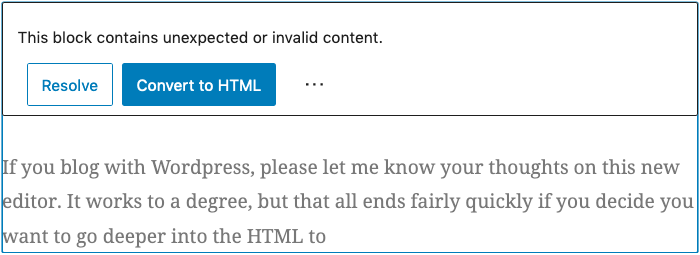
If you blog with WordPress, please let me know your thoughts on this new Gutenberg editor. Yes, it does work to a degree, but that all ends fairly quickly if you decide you want to go deeper into the HTML to style things.
Otherwise, too many times you get the below (note, Classic Block used for the below image as the spacing needed to be styled):
Out of 5 stars, I give Gutenberg a solid 2.2 star rating. I give Calypso a 3.8 star rating. Calypso is simpler, easier to use and overall gets the job done faster. The lower rating for Gutenberg isn’t necessarily because of its failures, but mostly because its design goals didn’t seek to improve the overall WordPress blogging experience or help us making blogging faster. Complexity is a double edged sword and doesn’t always make things “better”. If anything, that’s the primary takeaway from this updated editor’s design.
There are even more usability and ergonomic problems that I simply can’t get into here. You’ll simply have to try it and compare. Though, I’m never a fan of designers who feel the need to place stuff behind increasing layers of menus. If it’s a function that can be front and center, it should be front and center. Placing that thing behind layers and more layers of menus only serves to waste my time.
Launch Speed Benchmarking
Here’s where Gutenberg fails again. The amount of time it takes to launch Gutenberg is excessive. Calypso takes slightly under 2 seconds to completely launch and be ready to edit your article. Unfortunately, it takes almost 10 seconds for Gutenberg to launch before you’re ready to edit. Yeah, that’s a big step backwards in performance. Time is important. Waiting almost 10 seconds for an editor to launch just to make a simple change is a severe waste of time. If you have to do this multiple times in a day, that wasted time adds up.
Gutenberg needs a MAJOR overhaul in the launch performance area.
↩︎


 Random Thoughts - Randocity!
7 comments