Game Review: Resident Evil 7 Demo
While I realize this is a only demo and may not resemble the real game all that much, what I will say about it is, I’m not terribly fond of it overall. I’m hoping the game is far different from this. Let’s explore.
Story
Your character ends up stuck in a creepy old farmhouse and must figure out a way to get out of it. Along the way you find things that may or may not help your character. Can you actually get your character out of the house alive?
Game Mechanics
Whether or not you can actually get out of the house is not really the question. The question is, are the game mechanics good? First, it is a preliminary game demo. So, in that aspect, it’s a little dumbed down.
On the one hand, it is somewhat better than Resident Evil 5 and 6… meaning, there aren’t zombies running and jumping at your character at every step. On the other hand, there are no zombies at all. In fact, the entire house is devoid of enemies entirely (other than when you answer the phone or find the back door key and try to leave). And then, the enemy is a cut scene that you can’t fight. So, in effect, this is more or less a puzzle questing game… and not a very good one at that.
Second, the only redeeming factor is the video tape. Because watching the video tape is also player interactive, you can do things with the characters on the tape (in the past) that open things up for the player in the future. This is the one and only one cool gimmick about this demo, but it is so underused as a game gimmick that it’s almost hardly not worth mentioning.
Graphics
Plainly and of what you can see of them, the textures, wood, roaches, character models and environments are supremely well done. Unfortunately, you’re hindered by having to roam the house using a flashlight. This means you can only see what you can illuminate with the flashlight. Otherwise, it all ends up dark. It reminds me a little of the way that Bioshock was lit in terms of the dark undersea lighting that gets brighter as you approach walls and items. Not so much the textures, but the lighting concept. In some ways this works, but it gets old and tiring after about an hour of play. I was hoping the fuse box would have actually let me flip the lights on in the house. But no, the only thing the fuse box does is let you drop down the attic stairs. And, that’s just a little weird. In such a decrepit old farm house, why would the owners have installed a drop down electric set of stairs that lead to the attic? Doesn’t really make any sense.
Puzzles
Unfortunately, other than the video tape gimmick mentioned above, the puzzles are mostly weak. Worse, the puzzles are tied to successfully completing events. Meaning, unless you do a very specific thing in the house, you can’t progress to and find the next puzzle piece (i.e., it simply won’t appear). If you cannot figure out what the game wants you to do, you’re stuck. Too many games offer puzzles like this. Some puzzles are glaringly obvious what you need to do. Though in this game, many of the puzzles are so obscure that you can run around for hours and never figure it out. That doesn’t make a game fun, it makes it tedious.
Game Development / Demo / Beta Testing
The game devs have a whole lot of work ahead of them to get this game right. I’m assuming this demo was released to test the waters with gamers. RE4 was a spectacular achievement for the Resident Evil series. But, as much as RE4 was an achievement, RE5 and RE6 were not.
I’m one of those people who firmly believes, “Once Bitten, Twice Shy”. In fact, I’ve been bitten one too many times with this series… both with RE5 and RE6. Shame on me. I won’t be bitten again. This is the reason I’m playing this demo. I was, in fact, hoping that this would have been another Leon game like RE4. After all, it’s been well long enough to finally get another Leon game.
Commentary
While Capcom seems to be on the right track with Resident Evil 7, assuming it can expand on this puzzle questing and video tape idea, I’m still very skeptical. This game has all of the hallmarks of tricking gamers into a decent opening puzzle level only to convert the game into yet another dual player zombie shooter (like RE5 and RE6 turned into) once you exit the house. If Capcom can keep this puzzle questing survival horror idea on-track throughout the entire game (throwing in some zombie apocalypse battles here and there), it might turn out to be a decent game. Unfortunately, it has a little too much of the telltale signs of converting into a completely different game once you leave the house. For this reason, I will wait until the game is fully released into the stores before I plop down $60 for this title. I simply don’t trust Capcom.
Though, I absolutely love the video tape idea of going back in time and opening doors, finding hidden secrets, leaving things behind, etc, for future characters to find and use. This is probably one of the freshest ideas in this game. Unfortunately, it’s way underused in this demo and I’m not certain exactly how much it could be used unless the main character carries around a camcorder and finds tapes along the way.
Pulse Club Shooting and Reopening
As we all know by now (and if you haven’t, you’re probably living under a rock), the Pulse Club was a primarily gay dance night spot located in Orlando, Florida. Unfortunately, as a deadly shooting unfolded, it has now become the unwitting site of the worst mass shooting in the US so far. Should it reopen? Let’s explore.
Shooting Aftermath
After that 3 hour massacre ended in the death of the shooter, this situation now leaves more questions than answers, especially for the victim’s families and those who were injured. In fact, my heart goes out to each and every one of the victim’s families. Those people who had gathered at that club that night arrived to have fun, drink and dance. Many had done so on many previous nights. Nothing wrong in that.
Unfortunately, the shooter had other plans. He entered this night club with the intent of taking lives. After 3 hours of standoff with law enforcement, the situation ended with the death of the shooter, but not before 49 people were dead and 53 others were injured and sent to hospitals. Let’s not forget about those who were not injured, but who were there witnessing this horrific event unfold. These victims may not have physical injuries, but they now have emotional injuries that may take decades and therapy to resolve. Survivor’s guilt is a real thing. A horrible situation for any business owner to contemplate.
Club Reopening?
The manager of the club, Barbara Poma, is trying to salvage this situation with her business and has vowed to reopen this night club. Unfortunately, the Pulse Club has now become a victim in its own right with a massive stigma attached: the massacre and all of those brutal deaths. This situation never spells a good end to any business. Barbara, if you are in fact reading this, I’d strongly suggest not reopening this club at that location. However, before considering reopening, you should most definitely wait (see below). There are a number of reasons why it shouldn’t reopen in its current form:
- Macabre thrill seeker tourists. Your club has now (and will for a very long time) become an unwitting tourist destination for those seeking a brush with the macabre. Yes, your club will now have people seeking to stop by and talk about the massacre, the deaths, the victims with anyone who will talk about it including to your customers, your staff and you. This will eventually become distracting and annoying to your customers who are there just to party. It will drive your existing customer base away. This will not be forgotten quickly or easily.
- Ghost hunters. Because of the 49 deaths in your club, inevitably someone will claim they have seen or heard the ghost of one of those who died on your premise. I’m not here to argue the merit of that type of claim, but I will state that your club will become a destination for ghost hunters looking for ghosts. Again, this will be to the distraction of your paying visitors simply there to have a good time. It will also become a distraction for your bartenders and other staff. This will also drive your existing customer base away.
- Regulars will shy away. For those who were regulars to your club and who were there that night, they won’t be back. Your club is forever tainted as that club that had a mass shooting and now holds that stigma high and wide like a badge of honor, except there’s no honor in that. For anyone who was there that night, the memory is just too painful and few will be back to avoid reliving that memory, especially those who were trapped in there for hours.
- Tainted by death. The Pulse Club brand has now become the unwitting poster child for mass shootings. What I’m about to write may seem a little crass, but you might as well re-theme your club to have heart monitors, hospital beds, and nurses running around if you want to move forward with this name. This is what people will forever link to this club’s name. People will not remember it for the fun party spot. It will now be remembered for the deaths and those living victims still in the hospital. If you don’t have any intent on capitalizing on this notoriety, you should change the name and move the club to another location.
- Because of at least number 4, you may find that your original customer type no longer visits your club. You may find that types 1-4 make up the vast majority of those who visit your club. They are not there to have a good time, they are there to take pictures, vlog, gawk, talk to your staff and generally be a nuisance to your club. It might even lead to confrontations that you and your staff might not want to deal with. You can never know the intent of a single person requesting access into your club.
What this basically says is if you reopen the club, your clientele will drastically shift from that happy-go-lucky dance place that it once was to that-place-that-had-a-mass-shooting. The above are not necessarily the reasons you want people at your club. The Pulse Club can never live its now-infamous past down. Even if you change the name of the club, paint it, redecorate it and refurnish it from top to bottom, that location won’t ever forget what happened.
Rebuilding the Pulse Club
The only way the Pulse Club can ever live again is by moving it to an entirely new location somewhere else in the city and rebranding it. You must abandon that building and let it become someone else’s problem and stigma to solve. What happened there is something that stays with that building, not with your business. If you want to get your business back the way that it was, you cannot reopen in that location. You must move your business to a new building. This is the only way to free yourself from the thrill seekers, from the macabre, from the ghost hunters and from those just morbidly curious. These people are not the reason why you opened your club and these are not the reasons you should want to continue with your club.
These are distractions that only serve to taint your establishment, chase off would-be new customers and cause your staff daily grief throwing random lookie-loos out. You need to ask yourself the hard question, is this really the reason you opened the Pulse Club?
Before you contemplate reopening the club, you need to let the legal dust settle. And, settle it will, I can guarantee that. Before making plans of spending money to renovate your club, you should reserve those funds for the upcoming legal battles that are about to ensue… and sue they will.
Lawsuits and the Future of Pulse
We haven’t seen the last of what is in store for this club. Just you wait. Some of the victims will file wrongful death suits at someone, anyone, for negligence. Where to start? The club’s owner. It’s as good a place as any.
Was the Pulse Club negligent in what happened? Well clearly, if the club’s staff had been properly enforcing at least metal detection or a pat down at the door, the guns might not have gotten into the building. Unfortunately, it now appears that this club was not enforcing any safety best practices when allowing patrons into the establishment. This could very much appear as negligent actions by the club’s owner. And, there are 53 living injured who can file lawsuits against this club. There are an additional 49 families who can also file lawsuits against this club. There are additional people like employees and those who suffered severe mental anguish at the horrific events that night who can also file lawsuits.
Unless the Pulse Club owner has engaged in specialty insurance in high amounts to cover such occurrences (probably not), she may find the Pulse Club out of business and her personal finances spent covering each and every one of those yet-to-be-filed lawsuits. It’s way too early for this club’s owner to be thinking about reopening the night club when the legal battles have barely even begun.
Clearly Barbara, as the club’s owner, you should wait out the legal battles before making plans to reopen this club. You may find that you can’t actually afford to reopen the club after the legal dust settles.
Victims
If you are a victim of this shooting, you should contemplate all of your legal options and you should do so quickly with your lawyer. If you are intent on filing a lawsuit, you should do it as fast as possible. The first to the table are usually the first to walk away with settlements. If you are one of the last, you might get nothing.
Was this club negligent by allowing a shooter with a Sig Sauer MCX rifle (every bit as deadly as an AK-47, just quieter) into this club? Clearly, the Pulse had very little in the way of security due diligence at the door. Is that considered negligent? Only a court can decide.
Audio Tip: How to decode 5.1 DTS / AC3 to 6 WAV files
[Updated 02/21/2017] Please see the updated Alternative Solutions below. These don’t require Cubase.
For those of us who are hobbiest home audio engineers, here’s a tip that might come in handy when trying to extract 5.1 (6 channel) audio from DTS/AC3 to individual WAV (or more specifically, WAV 64) files. This technique may or may not work for 7.1 (8 channel) audio. Let’s explore.
What You Will Need
- Cubase 5 (or newer) or possibly Audacity
- FFMpeg
- TSMuxer GUI with tsmuxer
- Windows only: eac3t0
First Step – TSMuxer GUI
Extract the DTS/AC3 stream from video container using TSMuxer Gui. To do this…
- Load the *.m2ts, *.vob, *.mkv, etc file into TSMuxer Gui using File=>Open.
- Once the file is loaded, uncheck all other streams except the audio stream (DTS or AC3)
- Choose ‘Demux’ as the Output type
- Choose ‘Browse’ if you want to place the output file somewhere other than where the app has chosen
- Click ‘Start Demuxing’
- When completed, you will have a *.dts or *.ac3 file as output.
This step demuxes the audio from the full movie container.
Second Step – FFMpeg
Extract the DTS 5.1 audio to single 6 channel WAV file via FFMpeg using the following:
ffmpeg -i 00000.track_4352.dts -acodec pcm_s24le output-file.w64
This will create a 6 channel w64 (wave 64) file. You’ll want to use *.w64 because of the 4GB max size of standard *.wav files. If you know your output file will be sized smaller than 4GB, you can use *.wav instead. Also, if you want to master in 32 bit or higher, you can choose the pcm output version that corresponds to the bit size you want to use. I’m using 24 bits for my remastering efforts. The larger amount of bits you use for mastering, the more likely you will need to use w64.
Third Step – Cubase
- File=>Import to input output-file.w64 into Cubase
- When the small panel appears asking how you would like to import, choose Split Channels. You can number them if you like.

- It may take a little while to split them all out.
Note, this is the part that I do not know if Audacity supports. It may be able to perform Split Channels like Cubase, but you would need to test Audacity to find out whether it can and how. Cubase can definitely split the channels, though.
Fourth Step – Exporting WAV / W64 files
- From here, you can continue to use Cubase or Audacity to produce a remastered audio file or …
- You can save each individual channel as a separate WAV file for some other use. Note, you should use *.w64 (wave 64) if the files are expected to be larger than 4GB in size.
It’s up to you what you want to do with the resulting files.
Alternative Solutions
Using ffmpeg only.
Note, you will need to install the latest version of ffmpeg to ensure compatibility with this solution.
I have since found you can accomplish the extraction to individual WAVes using ffmpeg only. You won’t need Cubase or tsmuxer for this alternative solution. You extract your WAVes by setting up channel mappings, then assigning those mappings to each output file. Though, this solution is just a tad bit more complicated in that you need to know what channels your input audio offers, which channels to extract and what the two letter abbreviation for the channel is within ffmpeg.
For extracting 5.1, use the following command (Linux line break style shown):
ffmpeg -i infile \
-filter_complex "channelsplit=channel_layout=5.1[FL][FR][FC][LFE][BL][BR]" \
-map "[FL]" front_left.wav \
-map "[FR]" front_right.wav \
-map "[FC]" front_center.wav \
-map "[LFE]" lfe.wav \
-map "[BL]" back_left.wav \
-map "[BR]" back_right.wav
To extract 7.1, use the following command:
ffmpeg -i infile \
-filter_complex "channelsplit=channel_layout=7.1[FL][FR][FC][LFE][BL][BR][FLC][FRC]" \
-map "[FL]" front_left.wav \
-map "[FR]" front_right.wav \
-map "[FC]" front_center.wav \
-map "[LFE]" lfe.wav \
-map "[BL]" back_left.wav \
-map "[BR]" back_right.wav \
-map "[FLC]" front_left_center.wav \
-map "[FRC]" front_right_center.wav
Where infile is your source file. The input can be a video file (i.e., vob, m2ts, mkv, etc) or a multitrack audio file (i.e., AC3, DTS, etc). If you are running Windows using a CMD command shell, you will need to type the command in without the line breaks shown above. So, copy and paste won’t directly work on Windows. You’ll need to use an editor to make the command Windows friendly.
Note that there are a lot of different possible mappings for various types of audio input files. Since there are now many formats of soundtrack audio available such as Dolby Atmos, Dolby DTS, AC3 and various others, you should first determine the format of the input audio with ffprobe (see below) to better understand how to map and extract the audio. The channels available for possible extraction in ffmpeg include the following:
Command:
ffmpeg -layouts -hide_banner
Output:
Individual channels:
NAME        DESCRIPTION
FL          front left
FR          front right
FC          front center
LFE         low frequency
BL          back left
BR          back right
FLC         front left-of-center
FRC         front right-of-center
BC          back center
SL          side left
SR          side right
TC          top center
TFL         top front left
TFC         top front center
TFR         top front right
TBL         top back left
TBC         top back center
TBR         top back right
DL          downmix left
DR          downmix right
WL          wide left
WR          wide right
SDL         surround direct left
SDR         surround direct right
LFE2        low frequency 2

Standard channel layouts:
NAME        DECOMPOSITION
mono        FC
stereo      FL+FR
2.1         FL+FR+LFE
3.0         FL+FR+FC
3.0(back)   FL+FR+BC
4.0         FL+FR+FC+BC
quad        FL+FR+BL+BR
quad(side)  FL+FR+SL+SR
3.1         FL+FR+FC+LFE
5.0         FL+FR+FC+BL+BR
5.0(side)   FL+FR+FC+SL+SR
4.1         FL+FR+FC+LFE+BC
5.1         FL+FR+FC+LFE+BL+BR
5.1(side)   FL+FR+FC+LFE+SL+SR
6.0         FL+FR+FC+BC+SL+SR
6.0(front)  FL+FR+FLC+FRC+SL+SR
hexagonal   FL+FR+FC+BL+BR+BC
6.1         FL+FR+FC+LFE+BC+SL+SR
6.1         FL+FR+FC+LFE+BL+BR+BC
6.1(front)  FL+FR+LFE+FLC+FRC+SL+SR
7.0         FL+FR+FC+BL+BR+SL+SR
7.0(front)  FL+FR+FC+FLC+FRC+SL+SR
7.1         FL+FR+FC+LFE+BL+BR+SL+SR
7.1(wide)   FL+FR+FC+LFE+BL+BR+FLC+FRC
7.1(wide-side)FL+FR+FC+LFE+FLC+FRC+SL+SR
octagonal   FL+FR+FC+BL+BR+BC+SL+SR
downmix     DL+DR
Using FFProbe
To determine the audio channels available to extract from your infile, use ffprobe as follows:
Linux / MacOS X
$ /path/to/ffprobe -i infile -hide_banner 2>&1 | egrep "^I|^ "
Windows
C:\path\to\ffprobe -i infile -hide_banner
The output will look something like
Input #0, mpegts, from 'my_movie.m2ts':
  Duration: 01:37:13.61, start: 11.650667, bitrate: 43437 kb/s
  Program 1
    Stream #0:0[0x1011]: Video: h264 (High) (HDMV / 0x564D4448), yuv420p, 1920x1080 [SAR 1:1 DAR 16:9], 23.98 fps, 23.98 tbr, 90k tbn, 47.95 tbc
    Stream #0:1[0x1100]: Audio: dts (DTS-HD MA) ([134][0][0][0] / 0x0086), 48000 Hz, 5.1(side), fltp, 1536 kb/s
    Stream #0:2[0x1200]: Subtitle: hdmv_pgs_subtitle ([144][0][0][0] / 0x0090)
    Stream #0:3[0x1201]: Subtitle: hdmv_pgs_subtitle ([144][0][0][0] / 0x0090)
The stream marked in red is the stream you will need to examine. In the output example above, this audio contains 5.1(side) audio using the DTS format. For 5.1(side) extraction, the command would look like the following:
# From the above -layouts output
# input = 24 bits and preserve output at 24 bits
# 5.1(side)   FL+FR+FC+LFE+SL+SR

ffmpeg -i infile \
-filter_complex "channelsplit=channel_layout=5.1[FL][FR][FC][LFE][SL][SR]" \
-acodec pcm_s24le \
-map "[FL]" front_left.wav \
-acodec pcm_s24le \
-map "[FR]" front_right.wav \
-acodec pcm_s24le \
-map "[FC]" front_center.wav \
-acodec pcm_s24le \
-map "[LFE]" lfe.wav \
-acodec pcm_s24le \
-map "[SL]" side_left.wav \
-acodec pcm_s24le \
-map "[SR]" side_right.wav
Audio Output Format
If you don’t specify an audio output format, ffmpeg defaults to using pcm_s16le which creates a 16 bit WAV file for each channel. If you want to preserve the bit rate of the original audio, then you’ll want to specify the output format to be the same as the input for each WAV. This means that you can, if you want, specify 16 bit for some channels and 24 bit for others. For 24 bits, specify -acodec pcm_s24le just before each -map flag (see example above). For 32 bits, specify -acodec pcm_s32le.
Also note that while you can select the individual audio track within the a movie container, you don’t really need to. Ffmpeg automatically selects the best quality audio stream available in the container. However, if there are multiple 5.1 or 7.1 audio streams containing equal quality or there are multiple separate programs, you will need to tell ffmpeg to choose which stream to decode into WAV files. Note that if you need the syntax for selecting a specific audio stream using ffmpeg, please leave a comment below and I’ll write up an example for you.
Below is a list of PCM output formats available in ffmpeg version 3.2.4:
# Find these with the command

$ ffmpeg -formats | grep PCM

 DE alaw            PCM A-law
 DE f32be           PCM 32-bit floating-point big-endian
 DE f32le           PCM 32-bit floating-point little-endian
 DE f64be           PCM 64-bit floating-point big-endian
 DE f64le           PCM 64-bit floating-point little-endian
 DE mulaw           PCM mu-law
 DE s16be           PCM signed 16-bit big-endian
 DE s16le           PCM signed 16-bit little-endian
 DE s24be           PCM signed 24-bit big-endian
 DE s24le           PCM signed 24-bit little-endian
 DE s32be           PCM signed 32-bit big-endian
 DE s32le           PCM signed 32-bit little-endian
 DE s8              PCM signed 8-bit
 DE u16be           PCM unsigned 16-bit big-endian
 DE u16le           PCM unsigned 16-bit little-endian
 DE u24be           PCM unsigned 24-bit big-endian
 DE u24le           PCM unsigned 24-bit little-endian
 DE u32be           PCM unsigned 32-bit big-endian
 DE u32le           PCM unsigned 32-bit little-endian
 DE u8              PCM unsigned 8-bit
You’ll need to prefix pcm_ to the name of the format to use it on the command line. For example, if you want to use u16be, then you would specify that as -acodec pcm_u16be.
Windows Only (eac3t0)
Tool required: eac3to
Here is the command to use to extract all of the waves with eac3to:
# N: means the stream number in the input file
# You will need to determine which stream number to use
C:\path\to\eac3to "C:\path\to\infile" N: C:\path\to\output.wavs

Example:
  C:\bin\eac3to "C:\Movies Folder\mymovie.m2ts" 1: D:\Audio\mymovie.wavs
You’ll want to choose the proper drive for each of the paths instead of C:\. Also note, the .wavs (with the ‘s’) extension is important so that all of the WAVes will be exported from this tool.
Thanks go to Eli for the eac3to solution. If you are running Windows in your audio workflow, then this tool seems to be a fast one-step alternative.
For whom does the bell toll? Microsoft’s Xbox.
 In case you haven’t been reading recent news, here’s an article that might wake you up… especially if you happen to be an Xbox platform fanboy. What is this alleged article? Microsoft has stated it will merge the PC and Xbox platforms into a single unified platform, ending the sale of dedicated console hardware. Let’s explore.
Xbox and Xbox 360
When the original Xbox arrived in 2001, it received lots of fanfare. The console market now had a competitor against the PlayStation 2. The PS2 had released only one year earlier in 2000. Though, the Sega Dreamcast had promise, Sega pulled the plug in 2000 citing lots of reasons including bad sales, competition and poor platform reception. The Xbox’s controller, architecture and speed quickly ended up competing with the PlayStation 2.
A few years later, we went through the second iteration of this console war when both Sony and Microsoft released the PS3 and the Xbox 360, respectively and near simultaneously. Once again, we had our next generation console in our hands and we gamers were happily playing with better graphics and sound quality.
The Xbox 360 took the lead in the console market over Sony’s PS3, but only by slim margins. Though, the XBox 360 managed to stay one step ahead through out the lifespan of both consoles.
Xbox One and Ps4
Unfortunately, Microsoft would not be able to maintain its fleeting lead it had won with the Xbox 360 with its blundering Xbox One E3 announcement in 2013. Here’s what they had wanted to do:
This announcement in 2013 would set the tone for all things to come including the next iteration of the Xbox platform. Within a week of their E3 announcement, after facing Sony’s harsh rebuttal at E3, Microsoft reversed all of its DRM and privacy invasion strategies after the gamers clearly spoke with their wallet, PS4 orders surged and people cancelled their Xbox One orders in droves. It’s clear, this blunder was Xbox’s first death knell and set in motion many future problems to come for the Xbox. Unfortunately, neither Microsoft nor the Xbox has been able to recover from this blunder.
Elite Console and Controller
 Immediately prior to this Windows platform integration announcement, Microsoft had just released the Elite Console and Elite Controller. This controller being a much more costly update to its existing hardware ($15o vs $60). This console and especially the controller is Microsoft’s nod to a more professional gamer. That is, a nod to those gamers who want to play games using higher quality contollers, button remapping, changeable controller features, more inputs and faster consoles. I’ll tell you what, though. The Elite Controller is actually quite nice, but very very pricey. Yes, some of us do want these advanced features from our systems. However, it’s entirely disingenuous for Xbox to release the Elite controller and system only to see Microsoft announce the death of future hardware systems just a few months later. Really, what does this say to would-be gamers about Microsoft’s commitment to the gaming market?
To me, this says that the right hand doesn’t know what the left hand is doing in Redmond. On the one hand, you have the Xbox engineering team trying to drum up new gaming interest by releasing high quality experiences for the gamer. On the other, Microsoft itself is trying to reduce costs by getting rid of costly hardware projects it deems a loss. Unfortunately, this doesn’t mean good things for Microsoft as a whole. This ultimately means that the whole company is fractured internally and doesn’t have a proper focus on its products or its markets. Instead, it is making rash decisions without thinking through the long term ramifications of those decisions. A death knell.
Microsoft’s confusion
With this announcement of the integration of Xbox with Windows, Microsoft has likewise announced that it also intends (see article) to stop making future hardware and will instead focus on the Xbox platform as a subcomponent of Windows. Just like Windows Media Center, it will become an add-on to Windows. You might think that this is a great idea, but it isn’t. Let’s understand why.
Windows itself already offers developers a solid gaming development environment to produce native games on Windows. Most AAA game titles are made not only for consoles, but also for Windows and sometimes even Mac. The question is, would that spell the death of the Xbox platform? Yes. The reason the Xbox platform exists is as a gaming hardware platform independent of Windows. It does not exist for Netflix, Amazon or for any other non-gaming entertainment. Sure, you can play movies and music on the Xbox, but that’s not the platform’s intended purpose. Microsoft is seriously confused over the reason the Xbox platform exists and why it continues to exist. This confusion spells yet another death knell. Basically, if Microsoft thinks that the non-gaming aspects of the Xbox will survive once in Windows, it won’t. You can already use native Windows apps to get access to all of the services like Hulu, Netflix and Amazon… and the native apps are usually better.
The Death of the Xbox
Because Windows is already a solid gaming platform in its own right (in addition to being an entertainment platform), integrating a second gaming environment into Windows means that only one of these gaming platforms will survive the transition. Game developers will also only choose one platform to develop. Assuming status quo for the Xbox platform, the Xbox will be the clear loser. It’s simple to understand why: high priced licensing fees. It costs developers substantial amounts of cash to license and sell games branded with the Xbox moniker. It costs far far less to develop games under Windows directly. Unless Microsoft substantially changes their Xbox licensing model, this platform is entirely dead for gaming. Game developers won’t be willing to pay the excessive licensing fees on top of producing the game twice (Xbox and Windows) for the same hardware platform. Why would any game developer produce the same game twice that is destined for the same platform? They wouldn’t. A death knell.
So, what does this mean for gaming? PC gamers win a feather in their cap. Xbox gamers lose a platform entirely. Once games stop being produced for the Xbox platform, and they will stop, the only thing left to use the Xbox platform for is Netflix, other media activities and already purchased digital content. As I said above, you can already crack open Chrome or Firefox and do video streaming and music playing better. So, the answer, there will be nothing left to use the Xbox platform for except for legacy digital content that you may have purchased on an Xbox One/360… assuming that content even remains compatible after the Windows PC migration. Another death knell.
Digital Content
So, what does this mean for already purchased digital content? It means that you better hold onto your working Xbox One and Xbox 360 if you want to continue to use this content. Though, Microsoft may eventually force users to move to the Windows integrated platform and sunset the use of Xbox hardware entirely (and cut it off from the Xbox Live service).
This means that, at some point, you may no longer be able to download your digital content to your Xbox One and you may be forced to buy a PC. Depending on how Xbox One’s content activation system works, it may even prevent you from using the digital content you’ve already downloaded depending entirely upon how far and deep that Microsoft takes it.
Of course, this is still years off yet. But, once that time arrives, your Xbox One and 360 may become paperweights. A death knell.
Why this change?
From Microsoft’s perspective, I can understand the value and cost savings that integration (and lack of hardware) brings. No longer does Microsoft have to design, build and sell hardware platforms, no longer do they have to compete with Sony, no longer do they have to support this finicky hardware (a highly expensive ongoing investment). This means they can reduce their costs for all of the above. Instead, they can push the hardware costs back onto PC manufacturers to support their new Xbox platform.
Unfortunately, expecting PC manufacturers to support the Xbox is a pipe dream fantasy. There are far too many PC manufacturers who don’t follow the rules 100%. Instead, they get about 90% there and call the system done. This means that instead of having a fully 100% reliable Xbox platform, you’ll end up with a crashing behemoth of a system that, once again, barely works. The clear benefit to designing exclusive hardware is to achieve reliability by design. Leaving it to third parties to provide that hardware support means that some PC manufacturers will flat out not support the Xbox platform and those that do will charge a hefty premium. This ultimately means that buying a PC that properly supports the Xbox platform will likely mean a significantly higher cost than older far less expensive dedicated gaming console hardware. Not to mention, the clunky and ugly tower and desktop shapes of PC manufacturers which can no longer be used as a set top box.
This means that not only will the PC-based Xbox experience falter badly, you’re likely looking at 2x, 3x or more the price of today’s Xbox One to invest in a compatible PC-based Xbox platform. This puts this platform so far out of the price range of console gamers, this is yet another death knell for the Xbox. I won’t even get into the peripheral issues. Okay, I will a little. If Microsoft stops the hardware entirely, they’re likely to stop the controllers and leave that also up to third parties.
We all know how well PC controllers work with many games. Sometimes they work, sometimes they don’t. They are usually not wireless and when they are, they are chock full of wireless issues. The whole reason the Xbox One works well is because of the wireless controller and its close integration with the hardware.
Throwing the Baby out with the Bathwater
Ultimately, Microsoft is throwing away all of their hard earned gamer loyalty. They are effectively closing the Xbox and throwing away the key. What this ultimately says is that Microsoft has no long term commitment to the gaming market, the console market or the gamers. What was formerly the green glory will fade into Microsoft’s Windows obscurity.
Overall, this is the worst of all possible fates that could befall the Xbox. A console is not a console without hardware. We all know how well gaming platforms work when they offer dedicated hardware. We also know how well they don’t work when relying on third parties. Think Steam. Perhaps Microsoft is deluded enough to think that Steam is the model of the future? I can tell you that Steam isn’t it. Steam works, but for limited purposes. Effectively, Steam is the app store for gaming. Since most app stores don’t focus on gaming, it was inevitable that someone would put one together. Hence, Steam. But, the Xbox platform, regardless of its current strength in gaming will die a quick death once there is no more console hardware to be had. Gamers aren’t likely to spend their efforts chasing down third party hardware platforms that might or might not work. The whole point of a console is that it “just works”. The Steam model simply won’t work for the Xbox unless you’re talking about $2-5 pricepoint games which could run on Facebook. That’s not the class of gaming that Xbox One is today.
We all need hardware to make our lives better, yes even in gaming. You can’t game without hardware. Relying on PC manufacturers to get you what you need isn’t the answer. Worse, Windows native games and developers will kick the Xbox platform to the curb. No developer in their right mind would consider spending extra money to develop on the Xbox platform when they already have Windows development efforts underway. Why would game developers choose to redundantly build their game twice for the same platform? That’s just stupid.
Sony, Nintendo and, yes, Apple
All of the above is actually very good news for the remaining console developers. Once the Xbox platform dies quietly inside of Windows (and it will), Sony only need worry about Nintendo for the foreseeable future. However, with Apple’s recent foray into gaming with the latest Apple TV, this could mean Apple now has an opening into the console market. What I will say about the current Apple TV for 3D gaming is that it’s still very rudimentary. The textures are low res, the environments look like something out of the Nintendo 64 and there’s not a speck of realism to be found… yet. However, Apple can up the ante a lot in the next Apple TV console iteration. Assuming they wedge in a much higher end GPU and a lot more RAM into the Apple TV, they could easily match the specs of the Nintendo Wii U, but perhaps not yet approach the PS4… it will take quite a bit more effort by Apple to match Sony. For Apple, the door for the console market is quite clearly open. For Microsoft, the door is quickly closing.
Yes folks, the Xbox is officially a dead platform. With this integration announcement, this is the Xbox’s final death knell.
If you are considering the purchase of a new gaming console, you should steer clear of the Xbox One unless you really enjoy buying into dead gaming platforms.
Security vulnerability: Apple Watch, iPhone and Apple Pay
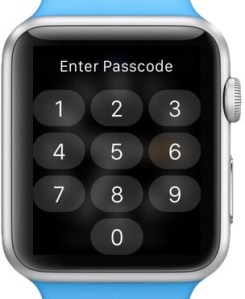 If you own an Apple Watch, there is a security vulnerability that could compromise your Apple Pay cards. Let’s explore.
Watch Stolen?
Let’s say you’re on vacation and you decide to visit that cute little patio coffee shop. Naturally, you’re sitting, sipping and enjoying your coffee. Your wrist adorned with your new Apple Watch is sitting on top pretty wrought iron fence. Someone comes along and grabs your Apple Watch off your wrist and runs away. What do you do? Chase after them to get it back? Oh, but they’re already gone. So then, try to disable the watch on your iPhone? So, here’s the dilemma (and the vulnerability). As soon as you unlock your iPhone, your watch is now quite vulnerable thanks to Apple.
Unlocking your iPhone
Apple has recently pushed an update that automatically and, by default, unlocks both your Apple Watch and your iPhone merely by unlocking your phone… so long as the watch is on anyone’s wrist (it doesn’t have to be your wrist). And herein lies the vulnerability.
So now, that thief who has just stolen your Apple Watch is standing close enough to still get a connection from your iPhone. The thief already knows what will happen after you unlock your phone. So, they patiently wait until you unlock your phone. Then, they get access to your stolen watch’s data until you A) Mark as Missing or B) remove all your credit cards from your wallet. It’s doubtful you can unpair the watch once they have taken it out of range of the Bluetooth/WiFi, but you can mark it as missing.
The thief will wait just long enough to get the watch unlocked and then run for it to get out of connection range. This may allow them to get access to the Apple Wallet and skim your cards from NFC. They could even still do it while in range of your phone, especially if you somehow hadn’t noticed the watch was missing (i.e., you had taken it off and placed it in your bag).
Fixing the Vulnerability
It’s quite amazing that this exists, a stupid security feature from the same company that’s trying to defend itself from unlocking a terrorist’s iPhone for a judge. Hypocritical much? No no, mustn’t unlock a phone for a judge. But, it’s perfectly okay to give thieves access to Apple Pay credit cards by enabling this dual unlock feature. First thing I’d immediately recommend is going into the Watch app on your iPhone and disabling this feature pronto! You’ll find that the Apple Watch itself also has this setting available under Passcode, but thankfully it can only be enabled or disabled on the iPhone.
However, this feature should not be available at all, Apple.
Preventative Measures
While you are still in possession of both your Apple Watch and your iPhone, you should immediately disable this feature. On the iPhone, it’s under Watch app=>My Watch (Screen)=>Passcode=>Unlock with iPhone set to OFF.
You’ll need to perform this while you are in possession of both devices, before your watch is stolen or misplaced. If you fail to make this change now, you cannot make this change after it is stolen. You can only mop up the mess.
Reactive Measures — My Apple Watch has been stolen!
If you leave the Unlock with iPhone setting enabled, anyone wearing your watch will see it unlock as soon as you unlock your iPhone if they are still in connection range (possibly 30 feet or so, but could be farther). So, you realize your watch is missing and the first thing you do is think, “I need to delete my Apple Watch from my phone”. However, merely by unlocking your phone, you may have just now given the thief access to your watch and to anything on that watch including your Apple Pay credit cards. This means they can activate the NFC on the watch and skim those card numbers off or even use them to charge in shops around the area, possibly even for the entire day until you remove the cards from the wallet. This gives the thief access to wallet and your credit cards until the watch runs out of battery or it locks again once taken off. Or, until you have taken measures to remove the cards from Apple Pay and have marked the watch as missing.
It’s very important to understand exactly how exposed you are by using the Apple Watch with the Apple Pay when enabling the Unlock with iPhone feature. But, you have to know that it’s stolen to take these measures.
Protecting Yourself
What do you do after it’s stolen?
Assuming you know that the watch has been stolen, the first thing you should do before unlocking your iPhone is disable Bluetooth and WiFi. How do you do this? At the > Slide to Unlock screen do not unlock the phone. Instead, swipe up from the bottom of the screen to the top. This will bring up the quick access menu that lets you manage items like WiFi on/off, Airplane mode on/off, Flashlight on/off and, yes, Bluetooth on/off. From the quick access menu, you need to disable both WiFi and Bluetooth before ever unlocking your iPhone. Because Apple Watch relies on Bluetooth and apparently an adhoc WiFi connection, the signal that you’ve unlocked won’t be sent to your nearby watch. It doesn’t seem to send this signal when your phone is on a carrier LTE or 4G data network. However, disabling Bluetooth or WiFi alone is not enough. The Watch can still connect to the cloud if close to a WiFi network it knows about. If you’re out on the street, that’s not likely. If you’re in or near your hotel, it might.
If you are not sure where your watch is, you should disable WiFi and Bluetooth before unlocking your iPhone. Once you’ve disabled WiFi and Bluetooth, go into Watch app=>My Watch=>Apple Watch and then Mark as Missing (making sure you have access to an LTE or 4G data network). You will not be able to disable the Unlock with iPhone feature while the watch is locked even if you reenable both WiFi and Bluetooth. In fact, if you do enable WiFi and Bluetooth, the app seems to remember the last unlocking for some period of time and will pass that unlock to the watch to unlock it. You don’t want to do this.
Whatever you do, don’t enable WiFi and Bluetooth until you’ve selected Mark as Missing under the Apple Watch menu. The last thing you want to happen is the iPhone to send an unlock signal to your watch.
Didn’t notice the watch was missing?
If you’ve left the watch in a hotel room or at pool or on the beach, you may have inadvertently unlocked the watch for a thief while you did not know the watch was missing. In this case, you should immediately Mark as Missing (see above). The second thing you will need to do is go into Wallet and Apple Pay is remove all credit cards from this area. This will deauthorize the card from Apple Pay and prevent the watch from making any further purchases with your cards.
Because Apple Pay creates a unique new Apple Pay card ID for each card, the thief won’t get access to your actual card number. But, a thief can still skim these unique numbers from the NFC and continue to use the numbers as long as you have not removed the card from the Wallet and Apple Pay menu. See ‘Thievery at its finest’ below for a caveat on skimming of NFC Apple Pay card numbers.
You should also call all of your credit card companies and let them know the period of time the watch was lost. While replacement of the cards is not necessary due to the way that Apple Pay registers new card numbers for use, it might still be a good idea just to be safe.
Forever losing things?
If you’re one of those people who is prone to losing or misplacing your stuff (especially things like Watches), then you need to head back up to Preventative Measures and disable Unlock with iPhone while you still have both your iPhone and Apple Watch in your possession. In fact, you can do it now while I wait here… patiently… for you to open up Settings on your iPhone… and disable Unlock with iPhone. Yes, you. Go do it now.
Okay, so now that that’s done. You did go do it, right? Okay, just checking. Assuming you didn’t lie about disabling it, there is no way a thief can get access to your Apple Watch by being in proximity of your iPhone if stolen or lost (i.e., like at the beach or at a pool).
If you are the type of person who loses things regularly, you might not even want to enable Apple Pay on the watch at all. Though, if you have a credit card on file for iTunes, Apple tries to be nice and imports this card into your watch on your behalf after its first setup. You should immediately go into the Watch app on your phone and remove that card. You can always add it back if you like.
Thievery at its finest — (the thief who returns most of what is stolen)
If you take your watch off by a pool, at the beach or any place where you might not want your watch damaged, a would-be thief could ‘borrow’ your watch just long enough to NFC skim all your cards off of the device (after waiting for you to unlock your phone). Then, carefully return the watch to you. He now has all your cards and you aren’t even the wiser that the watch was even missing.
Before this happens to you, you should disable Unlock with iPhone. Though, if you’re concerned about the credit card situation at all, you might just want to delete all the cards from your Apple Watch entirely and not use the watch for Apple Pay. Even if a thief attempts to skim your card data from your watch, they won’t be able to do it if the cards aren’t even there. However, if you do choose to use Apple Pay with your watch and as a security measure, I’d suggest removing and re-adding the cards once every couple of months. Better, once a month. This forces your bank to issue a new unique Apple Pay card number for each credit card. This will invalidate old Apple Pay unique card numbers that may have skimmed from your watch.
You should always remove and re-add your cards if your Apple Watch has been out of your possession for any period of time.
The Takeaway
Hopefully, by reading this article someone doesn’t end up taking more than your Apple Watch from you. The takeaway from this article should be to secure your device by undoing stupid Apple counter-security measures. Disable Unlock by iPhone in the Apple Watch app. Remove unnecessary cards from Apple Pay. Better, don’t use Apple Pay on the watch if you’re prone to losing things. If you’re planning on wearing the watch, don’t take it off your wrist.
I can’t even believe that Apple would stoop to putting in such an obvious security hole onto a device capable of storing credit card information (even if the numbers are unique to Apple Pay). If an Apple Watch could identify my wrist differently from someone else’s reliably 100% of the time, then this feature might be worthwhile. Because the Apple Watch can’t detect who’s wrist it is currently sitting on, this is a security compromise just waiting to happen.
Rant Time: Restaurants and Tips
As we move into the age of phone apps and more conveniences, we have also moved into an age where applications try to do things for you, such as automatically included tip calculators. Some restaurants are even attempting to take tip calculation to the next level as well. Let’s explore.
What is a tip?
What is a tip / gratuity and why is it necessary? When you visit a full service restaurant, those who help you at your table (bring you your plates, clean them up, bring you refills on drings, etc) are spending time and effort to serve you and your guests. For the luxury of being waited on, it is customary to tip the waitstaff additional money for the services rendered. After all, those plates and refills didn’t happen on their own. Full service is the act of bringing plates to the table, offering condiments, bringing drinks and refills, checking in for additional items and fixing any problems or incorrect orders. For full service restaurants, it is commonplace to tip at least 15% for being that full service.
When is full service not full service?
When the food is picked up or delivered. When an order is placed for pickup or delivery, there is no wait person to take your order, bring you your food (except delivery) and clear the table when done. There is no one to refill your drinks or fix problems or even just have a chat. All of these things are lost for pickup and delivery. It is commonplace to leave a tip of 10% when ordering for delivery. It is commonplace to not tip or leave a small amount when the order is picked up (depending on restaurant).
Fast food vs Bistros
When ordering for pickup from a fast food restaurant, it is customary to not tip. In fact, most fast food places don’t really accept tips either on the order or when ordering at the counter. So, it is not required to tip at all when ordering food at McDonald’s, Burger King or any other big fast food chain. That is, chains that offer no full service dining. However, for full service bistros, when ordering takeout and picking up food, you may find a tip jar on the counter. If the restaurant has a tip jar available, it is customary to tip whatever you feel is appropriate. That could be 5% or 10% depending on how much you feel was necessary.
Personally, I rarely tip for takeout no matter what restaurant it is. Tipping is based on the amount of service provided. The only service provided was by the order taker, assuming you called the order in or visited a drive-thru. However, if you ordered by digital means, the order likely went directly to the kitchen avoiding any order staff at all. So, tipping is entirely up to you.
Of course, when dining in at any full service restaurant, you should always expect to tip 15-20% depending on service quality.
Cabs, Skycaps, Bellhops, Valet and Concierges (traveling)
Cab Drivers
It is customary to tip 15% to a cab driver, especially if they load and unload baggage for you. Though, when paying for cab fare by credit card, you may find there is no 15% option. Instead, you might find 20%, 25% and 30% options. These are suggestions. However, it may not be apparent in the payment software how to modify the tip to 15%, though you might be able to type in a value. I also know that it can be embarrassing to ask the cab driver how to tip less than suggested. For this reason, I always recommend carrying some cash with you for just this occasion. Then, hand the cab driver 15% in cash. Don’t use the suggestions on the payment software. If you feel like tipping the suggested 20%, by all means go for it. The cab driver won’t complain.
Skycaps and other transportation tipping
For any travel situation where an airline skycap or train attendant carries, moves or carts your bags for you, be prepared to tip them $1 or $2 per bag. If your bag is at or nearly at the weight limit, you should offer up $2 per bag. For smaller lighter bags, $1 is fine.
Bellhops
Like the Skycap above, be prepared to tip $1-$2 per bag. $2 for big heavy bags, $1 for smaller lighter bags.
Concierge at a Hotel
Depending on the services you receive, you may or may not need to tip. For directions to a shop or restaurant, no tipping is necessary. However, if they arrange tickets to a show or perform any other service for you beyond directions, then be prepared to tip them $5 or more depending on the level of service provided. For example, if they manage to get you front row tickets to a sold out concert, you should be prepared to tip them $15-20 as thank you. On the other hand, if they obtain a reservation to a restaurant that you could have easily made yourself, $5 is sufficient. However, if they make you a reservation combined with ordering flowers for your date, that’s worthy of more than $5. Use your best judgement on what you feel is appropriate. The better you tip, the more likely it is they will be willing to help make your stay even better.
Valet
Tipping a valet is common, but don’t tip until they bring you your car. You should also examine your car inside and out quickly before handing that tip over. You could find a surprise you may not expect (yes, air biscuits count). The customary amount to tip a valet is $2-$5 depending on lots of factors. If it’s super hot outside, rainy or otherwise inclement weather, be prepared to tip a little more.
Hotel Housekeeping
This one is up to you. While I’ve seen recommendations of $2-$5 per night, tipping housekeeping is at your discretion. If you feel that the housekeeping service has done a particularly fantastic job, then by all means tip them. If the best they’ve done is change the bed linens and straighten up the bathroom, then maybe not. Though, if you’re particularly messy and they clean the entire room for you, you should tip them as a thank you.
Train Attendants
If you ride Amtrak a long distance in a sleeper car, there are lots of services train attendants perform for you. Services like making the bed each night and putting the bed away each morning. They can bring you your meals to your room, offer up beverages and they can generally help you for whatever services you need. You don’t need to tip the attendant each day, but be prepared to tip them wherever they depart of the train. Note that they may depart at a stop before yours. You should ask them when they plan to depart so you can tip them prior to that. Keep in mind that some stops are in the middle of the night while sleeping, so you should tip them the night before they depart. The tip is customarily $1-$2 per bag when entering the train and then $20 or more for the entire train stay. The more you ask them to do for you, the more you should expect to tip them. For example, if you have all of your meals in your room, then you should offer up a bigger tip.
If you’re riding Amtrak in coach, the only tip rules that apply are baggage carrying, if applicable.
Coat Check / Temporary Baggage Check
When traveling by train, you may find yourself at a layover train station that offers a baggage check service. This will allow you to wander the station without the need to cart your bags around during your layover. Be prepared to tip the baggage check service $1-$2 per bag. Same for coat check services… $1-$2 per coat / bag checked.
Doorman
This one can be a little confusing because sometimes the doorman may also be the bellhop. So, use your best judgement. If the doorman helps you with your bags and is also bellhop, only one tip is required. However, if the doorman hails you a cab, you should tip for that service. Though, with apps on phones these days, hailing a cab or Uber is easy to do using a phone app.
Room Service
Room service is effectively a restaurant in your room. So, all of the dine-in restaurant tipping rules apply. Tipping is then 15-20% of the subtotal on the room service bill for that meal (not the entire stay at the hotel).
Shuttle Drivers
If the hotel has a shuttle that takes you from and to the airport (or other select city locations), like a taxi you should tip them $1-$2 per bag (if they help you load and unload baggage). If they don’t handle any bags, then $2 is customary.
How to calculate a tip
Many dine-in restaurants now include suggested tip amounts on the subtotal receipt brought to the table. Be careful with blindly using these suggested tip amounts. Many restaurants and phone apps calculate tips based order total. That is, the cost of the order after taxes, service fees and other incidentals have been totaled up.
You should never tip on the total that includes tax. Let’s understand why. Taxes are monies collected by the state, county and local governments. Neither the restaurant nor the server did anything to earn that money. It is a given that taxes must be collected and every restaurant knows that. These monies received by the restaurant are given up to the government.
Instead, you should always calculate tip amount based on order subtotal. This subtotal includes all services rendered by the restaurant. Any line items added after the subtotal have nothing to do with services rendered by the restaurant and, therefore, not worthy of a tip.
Small orders vs Large orders
If you’re ordering food for a single person or a small number of people, the order total can be small. Accidentally tipping 18% on full total on a small order is not that costly. It might be only a dollar or two extra. However, when at a fine dining restaurant and the order total may reach into the hundreds of dollars, tip amounts can be $50-100 in tips alone. Calculating on subtotal vs total can save you money. Granted, if you’re at a 5 star restaurant that already costs $100-200 per person, you may not be worried about paying that $50 tip. But still, it’s the principal of the matter. The restaurant never earns the money collected for taxes and, thusly, the waiter didn’t do anything for that extra money you have just left them. Which leads to…
3 Michelin Star Restaurants
If you’re dining at Michelin rated restaurant (i.e., 3 Michelin stars), you should expect to tip higher than normal. Why? Typically, Michelin rated full service restaurants go out of their way to ensure your dining experience is exceptional from the beginning to the very end. The level of service received at this type of high end restaurant should be much more exceptional than any bistro style restaurant. If you receive bistro level experience at a Michelin rated restaurant, you should contact the Michelin guide and let them know. For these restaurants, it is customary to start at 18%. Though, you might tip as high as 25% depending on quality of food, quality of service and wine list pairing suggestions. Only you can judge exactly how exceptional the service was. Though, critical mistakes at this type of restaurant have much more dire influences on tips. So, if the server spills your meal, brings you the wrong food or in any other way makes a mistake, your tip amount should suffer dramatically and could be reduced down to as little as 5-10% (or nothing if the mistakes were egregious).
When you visit a Michelin rated restaurant, the expectation is to have a perfect experience. If you receive anything other than the most stellar service experience, you should tip very little and talk to the manager of the restaurant.
Restaurants sometimes now include tips
Some restaurants today are even attempting to take tipping to the next level for parties of less than 6. By automatically including tips as part of the final check line items, it assumes that the patron would like to leave a tip. Restaurants justify this addition by claiming that wait persons and other restaurant staff work on a living wage. This justification is weak at best. When you find a restaurant that is automatically including tip in your bill, you should ask if it’s voluntary. Chances are, they say it is and will remove it from your bill. However, you should also state that you will never again return to this restaurant unless this silly custom is removed from the bills. For parties of 6 or more, it has been customary to automatically include tip. It is only recently that some restaurants have started including tips for singles or parties of 2. Restaurants don’t seem to understand that tipping is voluntary, which leads to…
Tipping Generosity
To tip or not to tip is based on many factors and how well they performed the service. How much you leave is entirely up to you. It is voluntary to leave a tip, so you can leave nothing if you choose. But, if you visit that establishment again having tipped nothing, you’re likely to be remembered as that guy/gal who doesn’t tip. On the other hand, can choose to tip 20%, 30% or even 100% if you like. It is entirely up to you how much tip you leave for any service rendered. The customary amounts are what most people leave. Though, you are free to leave whatever you feel is appropriate for the given situation. There are lots of factors to take into consideration when tipping including, restaurant cleanliness, waitstaff appearance and attitude, service quality, frequency of checking in, order correctness, food flavor and many other factors. Be sure to scrutinize your experiences appropriately and tip what you feel is fair for those services. If you really dislike leaving tips, then I suggest you visit restaurants and other places that don’t require leaving tips. Though, that pretty much excludes you from 5 star experiences.
Movie Analysis — Star Wars: The Force Awakens
 [Updated: 2018-01-11]: Check out my The Last Jedi review and see how it compares to this analysis of The Force Awakens.
So while I have already written the movie review for Star Wars: The Force Awakens, this article intends to go in depth into some of the problems that plague the story of this film. Again, if you want to see this film and have not yet seen it, you should stop reading now.
Kylo Ren
So a lot of people are ragging on this character and the actor who portrays him. Yes, I was also personally unimpressed by the depth of this character. Granted, we don’t have much backstory for any of the new characters in this film yet. Not Finn, not Poe, not Rey and definitely not Kylo (other than his lineage). The lack of depth of all of the newly introduced characters is a problem. The most glaring problem of note is Kylo Ren. Not only because of the lack of backstory here, but the conflicted and almost childish brat nature of this character. Kylo apparently idolizes Darth Vader, but Kylo himself is but a sad pale imitation of Vader. The mask that Kylo wears looks cheap and serves no purpose. I realize that this is supposed to be a gritty world and not much is kept tidy, but still. This mask looks cheaply made even for a film of this caliber. Meaning, it looks cheap from a costume perspective, not from a character perspective. We don’t know enough about Kylo to justify the cheap look of that mask.
On top of the cheap mask, his temper tantrums are just over the top. Not only does he continually smash random consoles in fits of tantrum anger, he’s conflicted about his parents and in particular, his dad. Overall, this character is more or less a spoiled brat who seems to have gotten his way. I can’t even imagine Han and Leia bringing up such a spoiled brat. But hey, that’s what the storywriters propose here. When Kylo joined up with Snoke (The Supreme Leader), it seemed to be some desperate attempt to get away from his parents and his unhappy (?) home life. Though, that’s just a guess as we have no backstory here to back this up. Still, putting a spoiled brat who continually throws temper tantrums into the lead villain part just doesn’t work well in this movie. Kylo ends up neither menacing nor important. He just ends up playing a spoiled brat trying to ‘play’ the role of someone menacing.
On top of a character that doesn’t really work in the context of a play about good and evil, the actor who portrays Kylo is also a questionable casting choice. If you’re planning on putting a 19 or 20 year old in a part like this, either make them so dashing we can forget that they have no acting chops or find a prodigy who can really take this part to the next level. Unfortunately, the casting choice in this particular part was questionable at best. When Kylo takes his mask off, you can hear snickering all around the theater… which says everything about how the audience feels for this Snape-like character.
Personally, I’d prefer to see the part recast for the next film. Since he was wounded in the lightsaber battle, there’s now a reason to put the mask on and leave it on and never take it off again. Now that this character has finally seen real combat and has also faced injury at the hand of Rey, maybe his rantings might feel a little more sincere.
Kylo’s Force Abilities
As equally weak as his character is in terms of depth, this character is also insanely weak in the force. Yes, he seems to have been trained to some degree, but if Rey (strong in the force, but untrained) can best Kylo (who has been trained), his force powers must be especially weak. For someone like the Supreme Leader, why would you ever put someone who could be so easily bested with the force in charge of anything?
With Kylo, there’s just too much inconsistency here to make this character believable. If he had been killed off on this first installment, that at least would have been something to make the Supreme Leader find a worthy right hand man.
Rey and her force powers
Rey seems to manifest the force like a pro, like she has already been trained. So, either she has been trained and is just playing it dumb or she’s some kind of force prodigy. Even Anakin wasn’t that much of a prodigy. Neither was Luke. Problem.
The Death Planet
As big as the new Death Star (Starkiller Base) was, it would have caused so much disruption to gravity in the systems it entered, the planets would likely have been torn apart. In addition to the gravity disruption it would have caused just by being there, sucking away an entire sun would have caused all of the planets in that solar system to completely freeze and, at the same time, hurtle off into space because there is no more gravity to hold them place (other than the new Death Star, but its gravity is likely far weaker). The sun vanishing would cause planetary and solar system destruction without the need to fire a single shot. So, making these Death Stars ever bigger and bigger has consequences for wherever they end up in the universe, the least of which is gravity. So, this is a huge story weak point.
Story
Since we’re talking about story weak parts, let me just say that entire story was rather weak. Not only did it somewhat plagiarize from both A New Hope and, again, Return of the Jedi, it isn’t even plagiarized very well. As I said in my review, I liked what I saw, but it could have been far far better. I’m not saying George Lucas himself could have done better, but it seems that Disney does better when it comes to things like Star Wars Rebels than it does when it comes to full length movies. In fact, I find that TV story arcs in general are better done than most movies today.
Let’s explore the Rey character. She’s a scavenger who’s been living on Jakku since a very young child. She scavenges and sells what she scavenges for food rations, which seem to be getting less and less with each sale. Note that this information at all doesn’t spoil the film. Because, after the very long boring opening of her performing this activity several times, we never see her do it again. So, while I do understand that it is intended as character development, it could have been done in a much more offscreen way (like, through dialog, through a series of montages or even flashbacks). Instead, JJ feels compelled to bring us every boring moment of her scavenging on screen. If the only reason for this is to see the crashed Star Destroyer, that could have been done in a much more compelling way than seeing her scavenger her way through that site. In fact, they do it in a more compelling way later in the Millennium Falcon. Hey, no need for the scavenging which dragged down the opening.
As with most JJ stories (though I realize it was also in combination with Lawrence Kasdan who also brought us The Empire Strikes Back), it’s just enough to get the job done, but not enough to be anywhere near as good as The Empire Strikes Back. Note that Empire worked because it was a middle film. This first film needed a rousing opening, an even more thrilling middle and an intense end… and ultimately it didn’t deliver on all three aspects. Instead, it had a slow boring opening, a somewhat rollercoaster and exciting middle and a contrived ending. It also didn’t really need the Starkiller Death Star at all to establish the evilness of the First Order. There are many ways to show how evil can manifest on screen. The Starkiller was contrived, unnecessary and reeked too much of previous films.
I want to see stories that haven’t been done. Sure, we all want to see space battles between X-Wing fighters and Tie Fighters. But, give us a space battle that involves something other than trade blockades and death stars. Can we think of no other plot elements that require ships in space fighting? Seriously?
Let me count the ways
I want to love this film as much as Rotten Tomatoes does. I want this film to be as endearing as A New Hope. Unfortunately, it isn’t and I don’t. I do like it, but only to the degree that I would like any blockbuster released in the last 10 years and only on that level. Basically, it’s as good as Transformers or the Avengers or even Ironman. It’s a good watch, but it is in no way fresh and new. To some degree the universe has been established by George. But, there are still ways of taking that universe and making it into something entirely new and fresh and endearing. Unfortunately, the story was just a too weak to carry it off in this way.
The only controversial thing about this movie is Kylo Ren (and the title of this film). Even then, it’s only from the perspective of Kylo being a spoiled brat in the Star Wars universe (and somewhat miscast). If you’re going to cast a character with a helmet on, make damned sure that when the helmet is removed, that person is menacing to anyone he/she faces. There is no room in the Star Wars universe for spoiled children. That’s not the reason we go see Star Wars films. Characters should always act larger than life, but never as spoiled brats.
As for the title of the film, The Force Awakens, to whom did this reference? It isn’t clear. Does it refer to Kylo’s force power temper tantrums? Does it refer to Rey’s manifestation of her force powers? Does it refer to Finn’s use of the light saber. After all, I’m pretty sure that Finn wasn’t taught light saber training as part of The First Order. We still don’t know to whom the title of this film refers. Partly the reason is that the one thing that was entirely forgotten was Yoda, Ben and Anakin as force beings. None of these people chimed in at all during any part of this film to attempt to explain anything. These small snippets of Ben and various other Force manifestations helped carry the story along in episodes 4, 5 and 6. Where are they in 7? Were they just conveniently hiding among the midichlorians?
Note: this article is still under revision and may continue to be updated as I further analyze this and future installments.
Rant Time: Car cleaning and parking courtesy
For some reason that’s unexplainable, I’ve recently seen more and more people digging around in or cleaning their cars in parking lots of retail stores. While I have no problem with a person wanting to clean or rearrange their car, I do have a problem when they’re doing it at an inappropriate time and blocking people from parking or getting out of their vehicles to go to the store. Common courtesy, people, common courtesy. Let’s explore.
Parking and Shopping
When shopping at Target, Walmart, 7-Eleven, Safeway or while doing any other retail shopping, the parking lot is for parking your vehicle. A parking lot is not the place to clean or rearrange things in your car with your trunk open, with all car doors open and just randomly standing at and fiddling with something on your passenger seat. This is neither the time nor the place. If you’ve lost something, figure it out later. If you’re securing a child, do it quickly and finish up. If you are putting your bags away, finish that up. People may be waiting for you to get done with whatever it is you are doing.
When I see this happening, typically the person is parked in a reasonably close spot. What I mean is, they are usually by the door. No, they aren’t just putting their bags away. They’ve got their passenger side door wide open leaning over the passenger seat and digging for something. And they dig and dig and dig for minutes. Not only are they not in the store shopping, they are blocking the space they are in. They are also blocking the two adjacent spaces next to them because their car doors are wide open.
During the holiday season, this is especially frustrating. But, it’s frustrating any time of the year.
Common Courtesy
When a car pulls into a space next to you, they shouldn’t be expected to wait why you fiddle around in your passenger seat. If you’re digging for something, go do it somewhere else. Blocking other people from getting to parking spaces at the store is not what you should be doing and is definitely not what the store intended. Additionally, by doing this, you’re being entirely rude and discourteous. If you need to clean out or dig through your vehicle, take it to a place where it is appropriate. A place like your driveway at home or a car wash. Or, alternatively, move your vehicle to the back of the parking lot where fewer people park and you can do whatever it is you are doing until the cows come home. Don’t do this when parked in the busiest parking section of the lot.
Self entitlement
This is a subject that probably deserves an entire rant on its own. However, more and more people have some notion that they are entitled wherever they go. Such as thinking like, “I’m now a parent with child, I’m entitled to park close.” “I have a big expensive vehicle, I am entitled to do whatever I please with it.” No, when in public, you are no more entitled than anyone else. I’ll repeat that. You are no more entitled than anyone else when you visit any public place. Instead, courtesy trumps entitlement. If you are intentionally blocking or otherwise hindering another person’s ability to get something done, go shopping, park in a space, or otherwise visit a shopping establishment, you are firmly in the wrong. Not only that, you’re lucky that security doesn’t come out and ask you to leave the lot or threaten to tow your vehicle.
As I said above, if you want to go digging in your car for 30 minutes, do it somewhere else more appropriate.
Example
Tonight I was visiting 7-eleven to pick up a package from an Amazon Locker. Just as I pulled into my parking space, some dumbass had the nerve to walk up to and open up the passenger door of his vehicle and proceed to rummage for at least 5 minutes with the door open (I only waited about 60 seconds of it). I was parked right next to him and could not open my driver’s side door to get out. I ended up moving my vehicle to a different space so that I could finally get out. What a complete and utter self-entitled dumbass. Rummaging in your car with all doors open at 7-Eleven is not the time nor the place for that activity. Get your crap together and leave the parking lot. Use common courtesy and allow people who’ve just parked to get out of their car. If you want to rummage, step aside for the 10 seconds it takes to let the person out of their car. Then, go back to it when the person has stepped away. Be cognizant and aware of your environment and the people around you. Apparently, some people just don’t understand the concept of common courtesy anymore.
Movie Review: Star Wars: The Force Awakens
[Alert: This review may contain spoilers. Though, I have done my best not to reveal critical plot points and only discuss the technical merits of the film as a whole. If you are interested in seeing this movie, you should stop reading now. I have also written a deeper dive critical plot analysis article separately from this review.]
 Let’s just start by saying that I’m usually very critical towards films, just as I am towards any other technology, device or game. I also don’t review every film I see. I only review those films that I feel deserve a review and Star Wars: The Force Awakens does deserve a review. Since The Last Jedi is out, please check out my new review. Let’s explore.
Disney and Lucasfilm and Star Wars
This is the first in a series of films to be produced by Disney in their newly purchased Star Wars franchise. How many total films that will be in this series is as yet unknown. However, I’d expect the current storyline to run at least 3 total films with The Force Awakens being the first in this trilogy. Why is this important? It’s important to understand the place of this film not only in relation to the past 6 films, but to future films that have yet been created. In other words, this film is only a small part in a larger story. So, even after seeing the film, there are still many questions unanswered… and this is as it should be for a first part in a larger set of films.
Star Wars Redefined
Star Wars is a much beloved series. Episodes 4, 5 and 6 set the tone for this series with iconic likable characters that have become a huge part of pop culture. Though, cracks did begin to appear as early as Return of the Jedi with George introducing the saccharine cuteness of the Ewoks in Episode 6. However, we could forgive George this one blemish in an otherwise amazing universe. Unfortunately, by episodes 1, 2 and 3, those beloved icons were no where to be found and the films ended up disappointing on so many levels. With unnecessary characters like Jar Jar Binks, wooden acting, badly cast child actors, horrible screen chemistry and the inclusion of a storyline about political satire that could bore your dog, we were less than enchanted with the prequel series by the end of episode 3. Though, I will admit that episode 3 was much better than episode 1 by a long stretch. In other words, the prequels set the bar pretty low for Star Wars films. That’s all in the past, thankfully.
With this newest episode, JJ Abrams has brought a film to the screen that is at once both fresh, new and exciting and looks and feels like that old pair of amazing fitting gloves that just never seem to wear out. In other words, Disney, Lucasfilm and J.J. should be commended on the restraint used in producing The Force Awakens and in keeping the universe look and feel fully intact. Also, it seems that someone kept JJ’s wild fantasies in-check and out of the film such as lens flare city and odd story changes that really wouldn’t have enhanced this franchise. Disney also managed to keep their disneyfication to a minimum. Keeping JJ’s fanciful, but unnecessary additions at bay and limiting disneyfication to a bare minimum has helped to solidify this film as easily one of the best for 2015. Though, BB-8 might have been a disneyfication.
This newest Star Wars installment has firmly set the tone for the things to come. Yet, the film is far from perfect.
The Opening
The film opens identically to all other Star Wars films with the exception of the missing THX deep note (which was getting tired anyway) and the missing 20th Century Fox fanfare (this is Disney now, remember?). Though, it was also oddly missing the familiar Disney castle logo. There is little fanfare in the opening. More or less, it was just the same as all other Star Wars films. The film segues nicely into its first scene, but this is where the pacing is off. Instead of opening to a rousing battle scene or some other rush of action, blaster fire and lots of people or ships shooting one another, we are treated to a much slower paced opening. In fact, it’s so slow of a pace, for a short time I was beginning to wonder if it would ever pick up. No need to worry, it does.
The Characters
Other than saying that Harrison Ford, Carrie Fisher and Mark Hamill are all in the film along with Chewbacca, this film is about the new guard taking over the reigns from the old guard.. and that’s exactly what this film does. This is a transitional film. The cast is unknowns who do a decent job with their parts, but nothing spectacular. Though, I will say the on-screen chemistry between the new characters has yet to congeal. Not so much because there is no chemistry, but because there are few scenes were they are all actively together for more than a few minutes at a stretch. So, it’s difficult for me to judge the full chemistry between these actors as yet. They always seem to get separated within moments of coming together.
Stormtrooper Gone Bad
This is an interesting concept introduced into this film that has not been in previous installments. In previous Star Wars, whatever process the Empire had used to indoctrinate Stormtroopers seemed entirely solid and without question of loyalty after the process was complete. In The Force Awakens, the whole thread of indoctrination (and failure of said indoctrination) is explored and discussed explicitly and somewhat in-depth. I hope this concept makes a resurgence in later installments as a wider story arc. In fact, I would love to see it used as a linchpin in the entire destruction of the First Order and the Supreme Leader.
Questions and Answers
The Force Awakens both asks and answers old and new questions. One of them is the Stormtrooper Gone Bad motif. This is a new question that has yet to have a full answer. I’m anxious to see where that thread goes or if it’s just dropped. However, just as we have new questions, we have many old questions answered. Questions like “Did Leia and Han have a kid?”, “Where is Luke Skywalker?” and “What happened to Han Solo?”. There are many other questions answered in this film as well. Just as many questions were answered, there were just as many questions asked that have no clear answer. With The Force Awakens, JJ has perfectly straddled the line of balance between the answers to old questions with asking new questions. Questions we won’t get answers to until future installments. Because this is the first of many installments, it was inevitable that there would be cliffhangers and unanswered questions.
Death Star on Steroids
Yes, there is a Death Star story in The Force Awakens. In fact, like A New Hope and like Return of the Jedi, the Death Star makes a reappearance and on a much more grand scale. You’ll have to watch to find out what happens. Suffice it to say that this Death Star is far more destructive than anything ever built by the Empire. But, this isn’t the Empire. This is the New Order.. and likely if the New Order built one of these massive death machines, they likely built two or more of them. So, I’d expect to see another one or possibly a fleet of them in the next installments.
WYSIWYG story
While I realize this applies to computers, it also applies here. JJ didn’t put anything behind a veil. It is what you see. Yes, there might be subterfuge at work that we won’t realize until later installments, but in this film people take off their masks so we get to see them. There is little to be hidden behind masks for a 3 film story arc to reveal. It’s all revealed right here, right now, which is immensely satisfying. Who really wants to wait 3 films to finally see someone peel off their mask or find out who is really behind it all? In this film, it’s all put right out there immediately. No hiding. Limited use of masks. No hidden identities. No cloak and veils. What you see is truly what you get.
Though, we’ll have to wait and see in the next installments exactly what ‘points of view’ changes have yet to reveal themselves… and yes, there are questions that have yet to be answered.
Pacing
If there is anything here to fault of this film is its pacing. It starts out almost unbearably slow. Lots of scavenging scenes. Lots of random shots of conflicted moments of this failed Stormtrooper. An opening scene with the stormtroopers that while intended to garner some sympathy from the audience is mostly extraneous to the plot. We get that the New Order is to be feared. There is no need to beat us over the head with it. There were some scenes that even failed to advance the plot of the story and also failed to offer much in character development. In short, the opening is slow. After we finally leave Jakku, the pacing picks up and boy does it ever pick up. Once Han Solo is here, it’s a rollercoaster ride that lasts almost until the very end.
And then later… in the middle of the Death Star starship battle, we get interrupted by a longish lightsaber battle that leaves the Death Star scene hanging. Meaning, The Resistance (Rebels) trying to deal with how to bring down the death star and for the next 10-15 minutes, the pacing is killed with an awkward lightsaber battle that ends weirdly and doesn’t really conclude much. So, what were those X-wings up to the whole time the lightsaber battle was going on? Were they like on pause or something?
I would have expected to have more intercutting between the X-Wing battle and the lightsaber battle (like the lightsaber scene between Luke and Darth in Return of the Jedi and the space battle). The pacing between the space battle and the light saber battle in Return of the Jedi was amazing to behold. George didn’t always do everything right, but his editing skills were amazing. Unfortunately, JJ didn’t really seem to get the pacing or the tension here correct. So, the tension is almost completely killed while we watch this lightsaber battle unfold. I was hoping that these scenes would have been intercut better to keep the tension between both events high.
Overall
I enjoyed the The Force Awakens and want to see it again in 3D. I wouldn’t necessarily rate it a 93% that Rotten Tomato viewers have given or the 95% the critics have given it. I’d rate it more like 85%. It’s a good film and worth seeing. It especially ties up loose ends from what happened after Return of the Jedi nicely, but the pacing problems left me feeling less than impressed. Because TFA had nothing to do with the prequels, we can forget all about those films entirely and focus on what happened in episodes 4, 5, 6 and now 7. Well done Disney, JJ, Lucasfilm and George. Now, let’s see if we can keep this up and improve it for 8, 9 and beyond.
Review: Apple Watch
 You might have noticed that I like to write review and tip articles for Apple’s product line. Recently, I’ve picked up an Apple Watch Sport. It’s time for a rundown. Let’s explore.
Watch Functionality
It’s called the Apple Watch for a reason, because it is first and foremost a watch. You’re probably wondering just how good a watch it really is? Let’s just put it this way, the old square iPod that could be used as a watch has better watch faces than the Apple Watch. There are effectively 5 different faces. Two ‘analog’ style faces, one huge number version, a mickey mouse watch and a smaller digital face (that is used in multiple different versions).
Because the faces are so limited and there are so few of them, I’m quite disappointed in what’s here. Instead of providing a large number of faces, what Apple focuses on is customizability of a few faces. So, even though you can customize limited aspects of the watch faces, there’s only so much Apple actually lets you do. This is a little disappointing.
For example, if you want a custom background, you can do that so long as you can live with a digital watch version. This can’t be done with an ‘analog’ dial display. This is unfortunate. Though, there’s still time for Apple to add this in an update.
On the upside, when you flip your wrist up to look at your watch, the face automatically turns on. No need to press buttons.
Watch Face Sizes
There are two sizes available from Apple. There is the 38mm and the 42mm sizes (so far). To be perfectly fair, there’s very little difference between these two sizes as far as utility goes. So, don’t expect miracles from buying the bigger size. Both screens are small and having a slightly larger screen here really doesn’t help much at all. I’m sure Apple may offer more sizes in the future, but for now these are two sizes offered.
What I will say about the sizes is that they work well for a watch face, but for using for anything other than a watch is mostly uncomfortable. Though, using the Apple Watch for any period of time makes you appreciate just how big your iPhone’s display is even if you’re using the iPhone 5.
Remote Control
This is primarily where the Apple Watch shines brightest… being a remote control for your iPhone. That is, playing music, as a speakerphone, answering simple text messages or even just asking Siri basic questions. Not having to pull your phone out of your pocket for simple and basic activities is nice enough. But, is this one feature really worth the price so far? Let’s continue to explore.
Watch Band
The one cool thing that Apple has rethought is the watch band. Instead of being a standard belt type closure, the band has been reinvented. I know a lot of people don’t really like the sport band, but I actually like it for a lot of reasons. The biggest reason is that a standard band is like a belt… which means that the band has that little tail that sticks out and catches on things and is generally frustrating.
Apple’s sport band rethinks this. Now the clasp pops onto a peg that sticks up easily, which makes putting it on one-handed a snap (literally) and then the end of the band tucks into and inside of the band leaving no little flap to hang out and catch on things. I know this piece is a little hard to describe, but once you try it out, you’ll understand why the line of this band is hard to beat. Changing watch bands is pretty much a snap. You press the release button and slide out the band. Then slide in the new one. Repeat the process on the other side. It’s far simpler than trying to depress those tiny little pins from most watch bands.
Again, does this make the Apple Watch worth the money? Let’s keep going.
Applications
As I talked about above, the Apple Watch is primarily a remote controller for the iPhone… and applications are no exception. What that means is to use am application on the watch, it must also have a corresponding iPhone version before a watch version can be loaded. Additionally, the app has to support a watch interface version before you can even use it on the Apple Watch. This also means that there are limited applications that currently even support the Apple Watch. The few that are there range from clumsy to elegant with most falling towards the clumsy side.
Yes, you can receive notifications of email on your watch. Unfortunately, there is really no HTML rendering piece for the phone. So, many emails that arrive won’t allow for proper viewing on the watch interface. So, don’t expect miracles in this department.
Fitness
If you are fitbit user, you might find the fitness pieces of the Apple Watch useful in that it can keep up with your fitness goals through the built in wrist monitor. So, pop it on and away you go. You just have to fill in all of your details into the fitness app to get started.
News
Here’s where the watch shines once again. If you’re interested in keeping up with the latest news events, there are a number of iPhone apps that support the Apple Watch. This means you can keep up with the latest trending news through alerts on the watch. This is another bright spot for the watch.
It also has a stopwatch, timers and alarms. You can easily set the alarms through Siri.
Siri and Haptic Feedback
This is one of the better features here. I always hated Siri’s voices. They’re unnatural and annoying. So, when the watch remains silent of voice in lieu of haptic feedback after a Siri query, that made me smile. I love this feature. I’d rather the watch (or any device) respond with haptic feedback over using a voice to talk back.
Sounds
There are limited sounds. However, the Apple Watch combines haptic feedback (shaking) to let you know when it’s done something. In combination with haptic feedback, the phone plays a small chime. Like expensive analog watches, some come with small chimes and bells. The Apple Watch mimics that sound whenever notifications are made. So, it makes the Apple Watch feel like an expensive Tourbillion or some other very expensive watch when it chimes after an alert or when an alarm goes off. It’s not some cloying and silly frog or other digital sound effect. In combination with the haptic feedback, the chime feels and sounds real when on the wrist. It’s as though there’s a little bell inside of the unit. It’s an uncanny sensation. Apple definitely got this right. Though, I would also like a little more customizability in the sounds for alerts, but I’m guessing we’ll see that in WatchOS 3 or 4 or sometime later down the road.
The Crown
Think of the crown’s use on this as a scroll wheel on the mouse. Effectively, that’s how it’s used on the watch interface. You can scroll through email messages, through lists, through settings, etc. Because the touch screen can be clumsy because of its size, the crown’s scrolling feature makes up for that clumsiness making the device a bit more elegant to use. Unfortunately, even with WatchOS 2.0, the crown is not utilized nearly enough. There are a lot of settings areas and other locations that are perfect candidates for using the crown to scroll. Unfortunately, you’ll find that you’ll still be flicking through lists with your finger on the touch surface.
The Touch Screen
One of the things Apple included is that not only is it a touch screen, it is pressure sensitive. So, the harder you press, you can get into different modes or activate features. While this pressure sensitive nature is a cool addition to the watch, it is also well underutilized. In fact, the only real place where it’s used is in customizing the watch faces.
The Charger
Here’s easily the most clumsy piece included with the watch. Not only is the somewhat concave disk shaped charger goofy, the magnet is not nearly strong enough. What that means is that the watch falls away from the charger by simple movement of the watch on the table. It’s frustrating and clumsy all at the same time. I don’t really understand why the magnet isn’t a whole lot stronger. However, having purchased the more expensive Apple flying saucer charger, the magnet on this unit is much much stronger. In fact, it’s the strength that should have been included on the included clumsy disc charger.
Storing Music
Yes, you can store a single playlist on the Apple Watch itself. How exactly you play that music back without the phone, I’m not entirely sure. I’m assuming you can pair a bluetooth headset and listen that way or maybe it plays out of the tiny speaker on the watch. Whatever way it happens, the watch itself has no ports, so it must playback wireless. It seems that the watch may have about 8GB of memory storage. This is the same as the base model of the previous square iPod that could also be used as a watch.
Screen Type
The screen is an AMOLED display. What that means is inky blacks and vibrant whites. You don’t get that annoying bright grey cast you get with backlit units. It also means that it is not backlit. This enhances the watch look and feel and reduces battery life to only those pixels that happen to be lit.
Battery Life
On the 42mm version, I have been pleasantly surprised that when I get home, it’s still no less than 50%. Most times, it’s still in the 80% area. However, this is still a mostly brand new watch. So, I need to set it up with a few charge cycles to get how the battery will really last. As for battery replacement, it doesn’t appear user replaceable. So, I’m guessing you’ll need to make an appointment with Apple’s Genius bar and have them replace it.
Home Screen
The home screen for the watch is, you guessed it, a watch face. Everything else pretty much revolves around this screen. You pull down from the top for notifications. You pull up from the bottom to bring up running apps (music remote control, battery life, fitness, etc… by swiping left or right).
App Screen
While I understand the purpose behind this horrid mess of round icons screen, it’s ugly and hard to get to the things you need. This is the screen with small circle icons arranged into a geometric shape. When you drag it around, the edge circles shrink. While I understand the utility of this on the tiny watch screen, it’s hard to navigate the icons because they have no labels. So, unless you happen to know what the icon is, you’re lost. There are times where icons can be similar to one another which can make it confusing to find the app you want. I personally find this screen a little ugly and tiresome. But, for what it is, I don’t know how to offer Apple a better solution than this. So, it is what is.
Apple Pay
If you have an iPhone 5 that doesn’t support Apple Pay, here’s a way to get this feature without replacing your phone. You can load up your cards on to the Apple Watch and then use the watch to pay with Apple Pay by putting it into Apple Pay mode and touching the watch to the payment terminal. Admittedly, I’ve used it a few times (even at the Apple store). It’s handy and prevents the need to pull out your credit card from your wallet. It works with both credit cards and combo credit/debit cards.
Wrist Detection
This piece goes hand-in-hand with Apple Pay. By electing to put your cards onto the device to use with Apple Pay, you automatically enable certain security mechanisms. One of them being wrist detection and passwords. This means that as long as you’re wearing the watch, you don’t have to enter your password. As soon as you take the watch off and put it back on, you’ll be prompted to enter the password again. The thinking is that if someone rips it off of your wrist and steals it, they can’t get into it because it’s automatically passworded as soon as it’s removed. This is a good feature, but at the same time it also offers some unnecessary annoyances in other parts of the operating system.
Overall
The Apple Watch is a somewhat interesting device, but it is pricey. It starts at $349 and goes up from there. The 38mm version is $349 and the 42mm version is $399 for the sport series. The prices only go up from here. For a watch, I guess this an okay price for the sport model. When you get into the pricier versions, the difference is just in the materials.
For the sport version, you only get some kind of tempered glass over the touch surface. If you move up to the $549-$599 price point, you get sapphire. Though apparently the sapphire saps some of the brightness from the screen. So, you’ll want to be prepared for that.
Apple also shot themselves in the foot by doing away with skeuomorphism in iOS. In fact, for the watch faces, the flat colors are just too boring. If there’s justification for using skeuomorphism, watch hands are the place to do it. The flat watch hand colors are, well, drab and boring. I’d rather have a watch face that looks like a watch face with roman numerals and hands that look like metal. Instead, we get flat pointy hands that don’t look real at all. The double whammy here is that there are so few watch faces from which to choose, it’s really a less than ideal situation for the Apple Watch. In fact, there were better looking watch faces on the older square iPod that also doubled as a watch.
If you’re looking for a watch that doubles as an interface to your iPhone, the Apple Watch might be worth the money. But, don’t be disappointed at how sparse the app landscape is right now. There’s really not a ton of apps available. But, don’t go into this purchase thinking it will be the perfect app companion to your iPhone. It won’t and isn’t. It is still too new for that.
The one and only reason to consider the purchase of an Apple Watch is for the watch functionality. Though, you should use it and play with it before you make the decision to buy. There are plenty of watches on the market and having the Apple Watch may not be the smartest of choices if the watch is the most important aspect. Also, the limited faces of the watch means it’s not as flexible as one would hope. It is a small computer after all. So, it should be able to mimic the look of any watch face. Unfortunately, Apple has intentionally limited this functionality to date. Until this piece is fully realized, owning this as a watch may not be the best of choices. Though, the sport watch band is comfortable and easily one of the best innovations here.


leave a comment